
C++ agent build

Note: For now, this C++ agent build process is applicable only for c++ applications build with target 64-Bit, x64 Platforms.
Open your application source code in visual studio.
Add the below lines in your main application source file.
extern "C" void _penter();
extern "C" void _pexit();

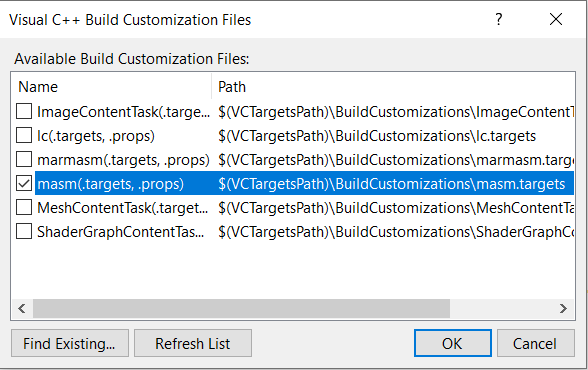
Right click project -> Build Dependencies -> Build Customizaions and check masm and click on ok.

Add Assem.asm (available in applicare build) file to your project.

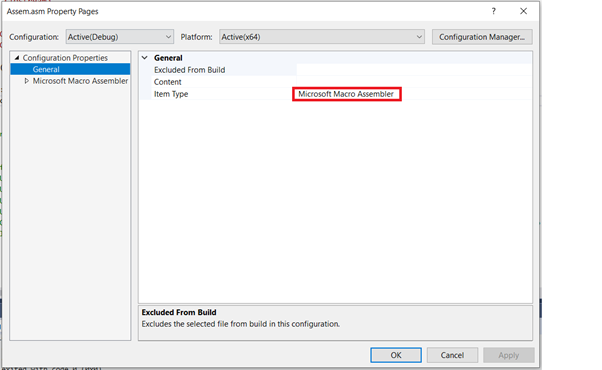
Now, right click Assem.asm file and go to properties.

In the properties window, select General option on Left.
For, Excluded From Build, select No or keep it empty.
Item type: Microsoft Macro Assembler
Go to project properties and go to Configuration properties -> C/C++ -> Command Line and Enter /GH /Gh in Additional options

Go to project properties and go to Configuration properties -> Linker -> Input
Add agent.lib in Additional Dependencies and click on Apply and then ok.

Now we are ready to build the application.
While running your c++ application copy the agent.dll file to the application home path.
Configure C++ agent in applicare:
Install applicare standalone agent on the same machine from where the c++ application will run. Refer the below link for applicare standalone agent installation.
Set the following JVM arguments for the standalone agent.
-Dapplicare.CAgent=true
-Dapplicare.cagent_datapath=<PATH_IN_WHICH_C++_AGENT_TEMP_FILES_WILL_BE_CREATED>
Note: If the jvm argument -Dapplicare.cagent_datapath is not set then <APPLICARE_HOME>/CProfiler directory will be considered as default path.
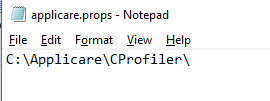
Create a file named applicare.props in the home path of C++ application.
Copy the CAgent's temp data file path(same path which we set for -Dapplicare.cagent_datapath jvm argument) in applicare.props. The path must end with slash(\). Eg: C:\Applicare\CProfiler\
Now start applicare standalone agent and c++ application.
We will start to see the data in applicare dashboard under Server Analyzer -> CAgent
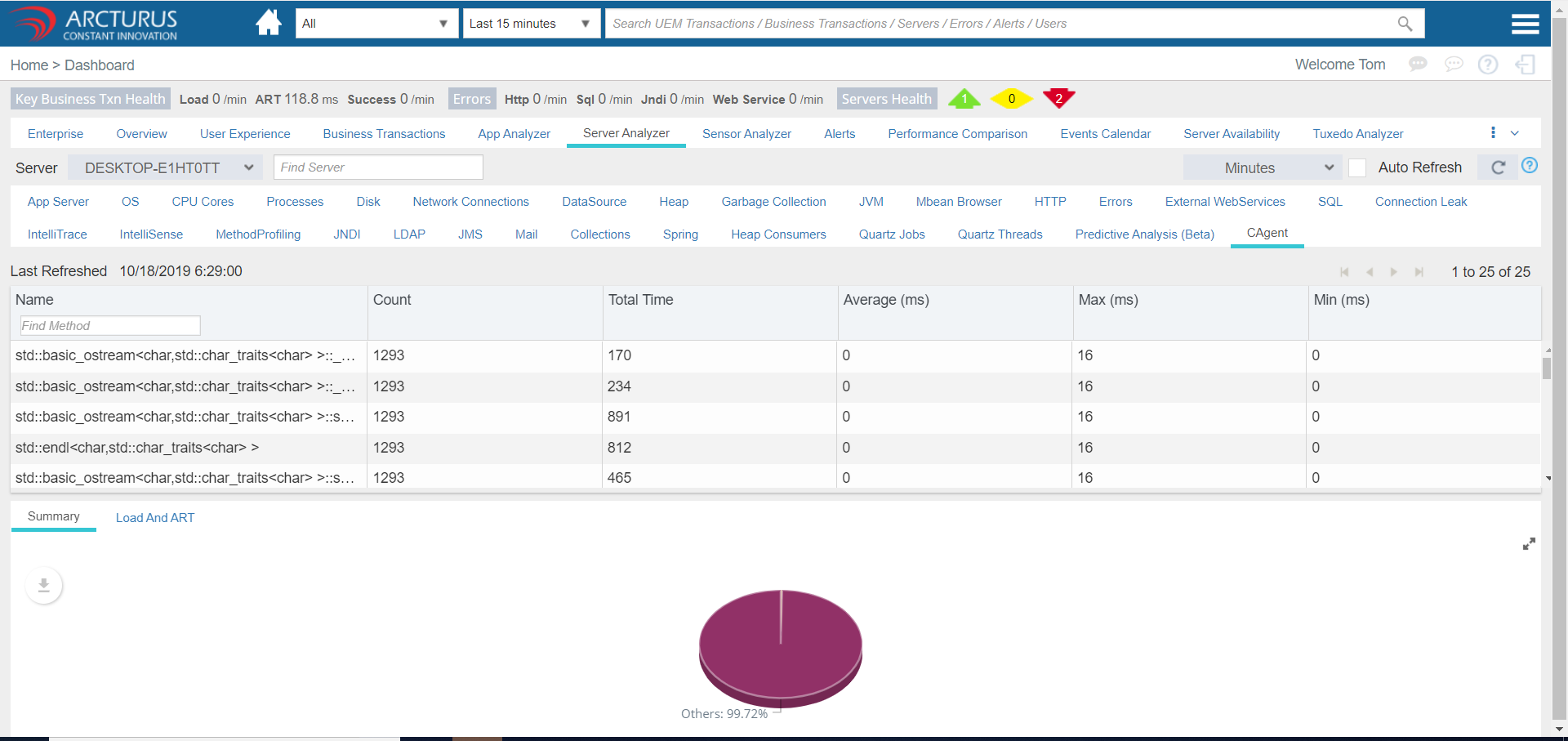
In the above screen we can right click on any row from the grid and add the methods as kbt.
Please sign in to leave a comment.
Comments
0 comments