
Enable Logs in data-importer

Steps:
1. Stop the Applicare Standalone Agent.
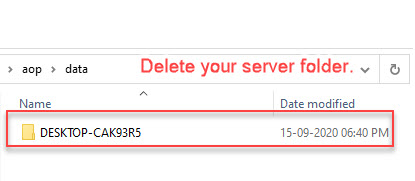
2. Go to the Path "<ApplicareStandaloneAgentHomeDir>/aop/data" and delete the folder with your server name if it exist.
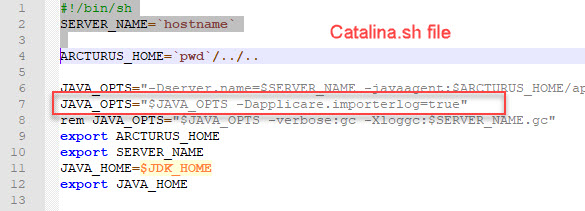
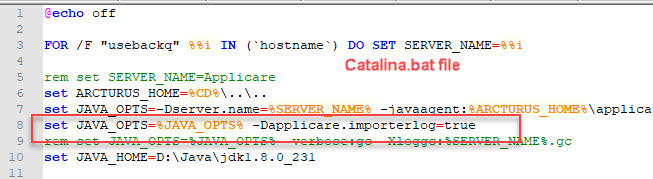
3. Go to the Path "<ApplicareStandaloneAgentHomeDir>/server/bin" and edit catalina.bat (Windows) / catalina.sh (Linux) file and add the jvm argument "-Dapplicare.importerlog=true".
For Linux:
For Windows:
4. Start the Applicare Standalone Agent.
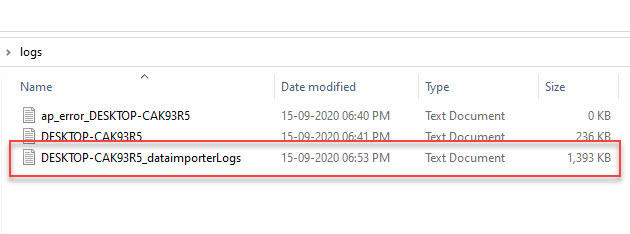
5. A new log file will be created inside the directory "<ApplicareStandaloneAgentHomeDir>/logs".
Log file : YourServername_dataimporterLogs.log
For Example if the server name is "DESKTOP-CAK93R5" then the log file will be
DESKTOP-CAK93R5_dataimporterLogs.log
Please sign in to leave a comment.
Comments
0 comments