
Manage Custom Sensors/Dashboard

1. Go to Sensor Analyzer -> Dashboard screen and click the Settings (Wheel) icon.

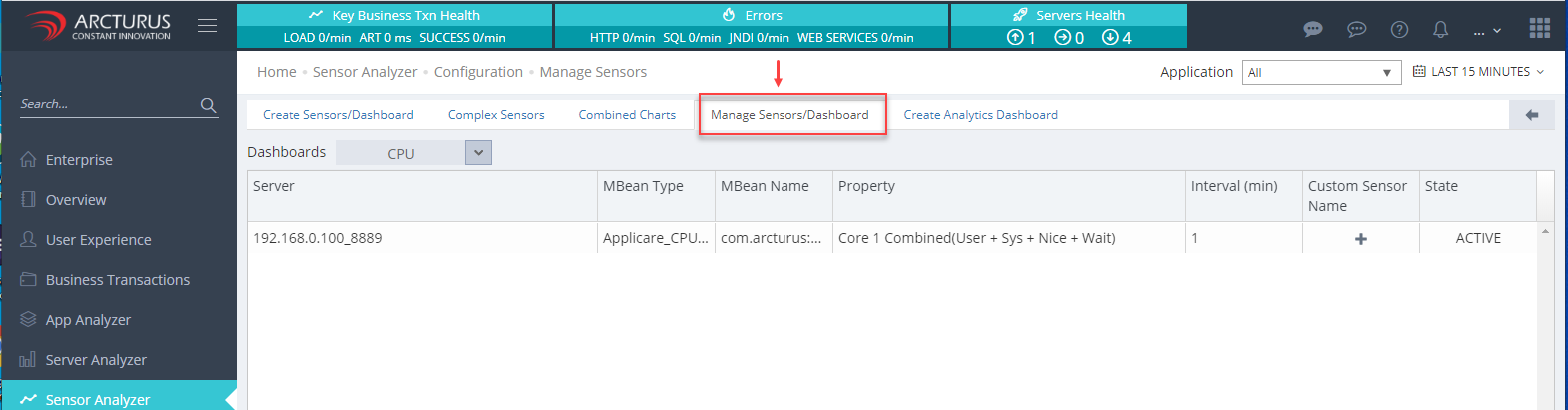
2. Go to Manage Sensors / Dashboard screen.
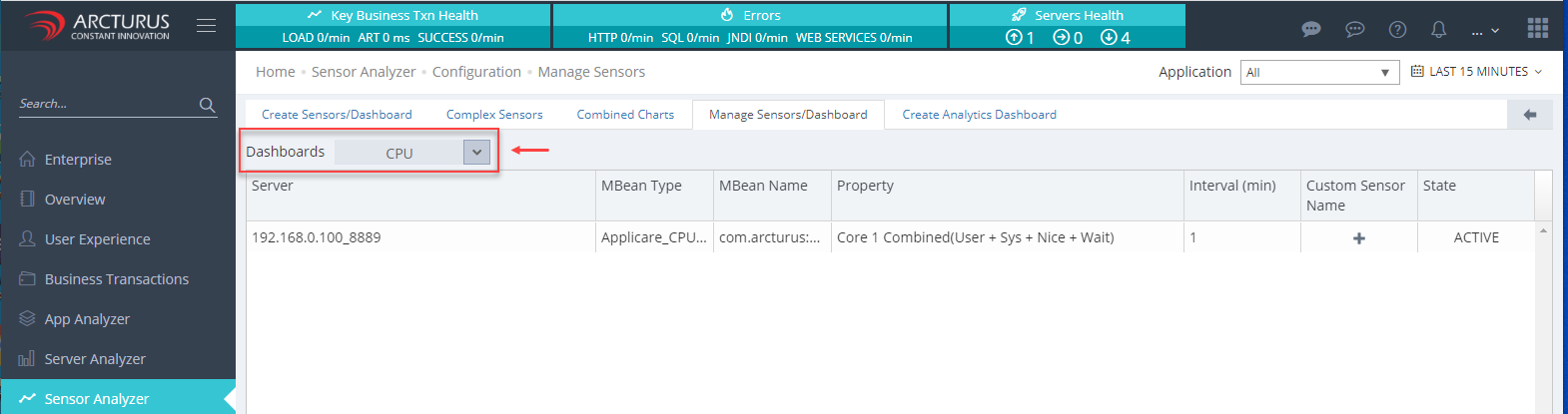
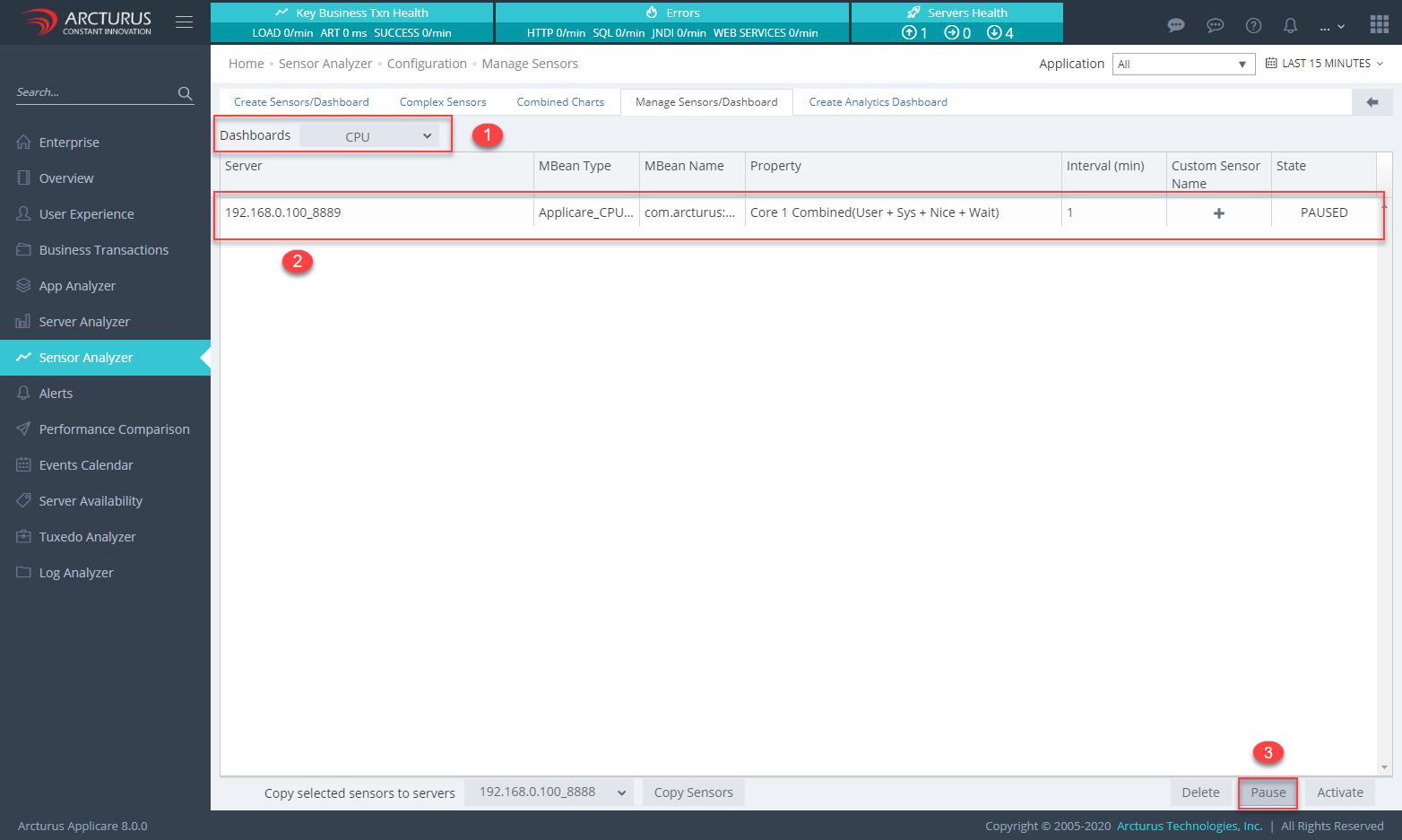
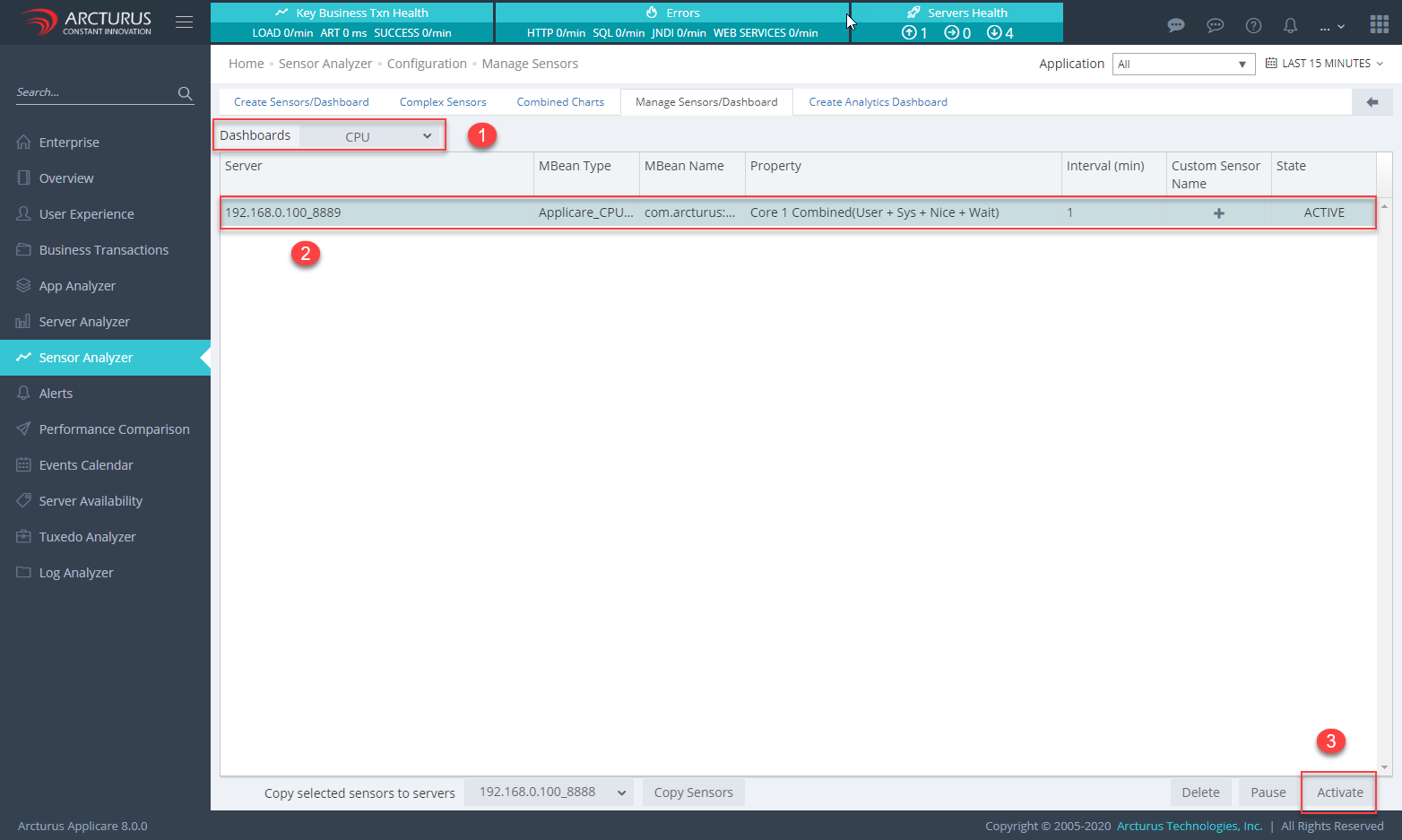
3. Select the Dashboard from the Dashboards drop-down.
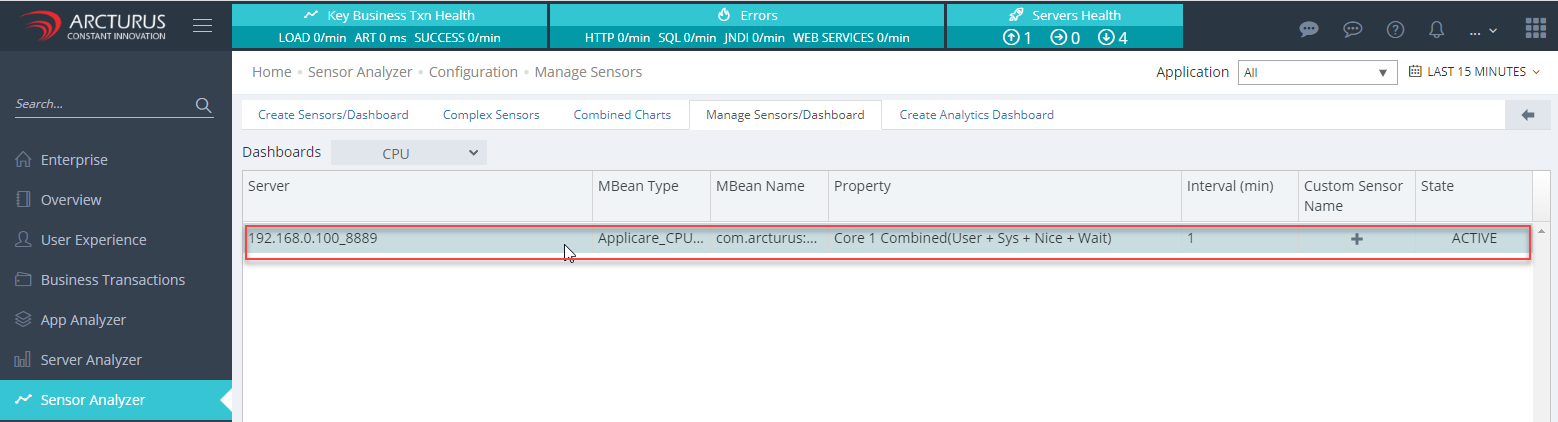
4.Select the rows from the grid. Multiple rows can be selected at the same time.
5. Delete Dashboard -> After selecting the rows click the "Delete" button on the bottom of the grid to delete the dashboards.
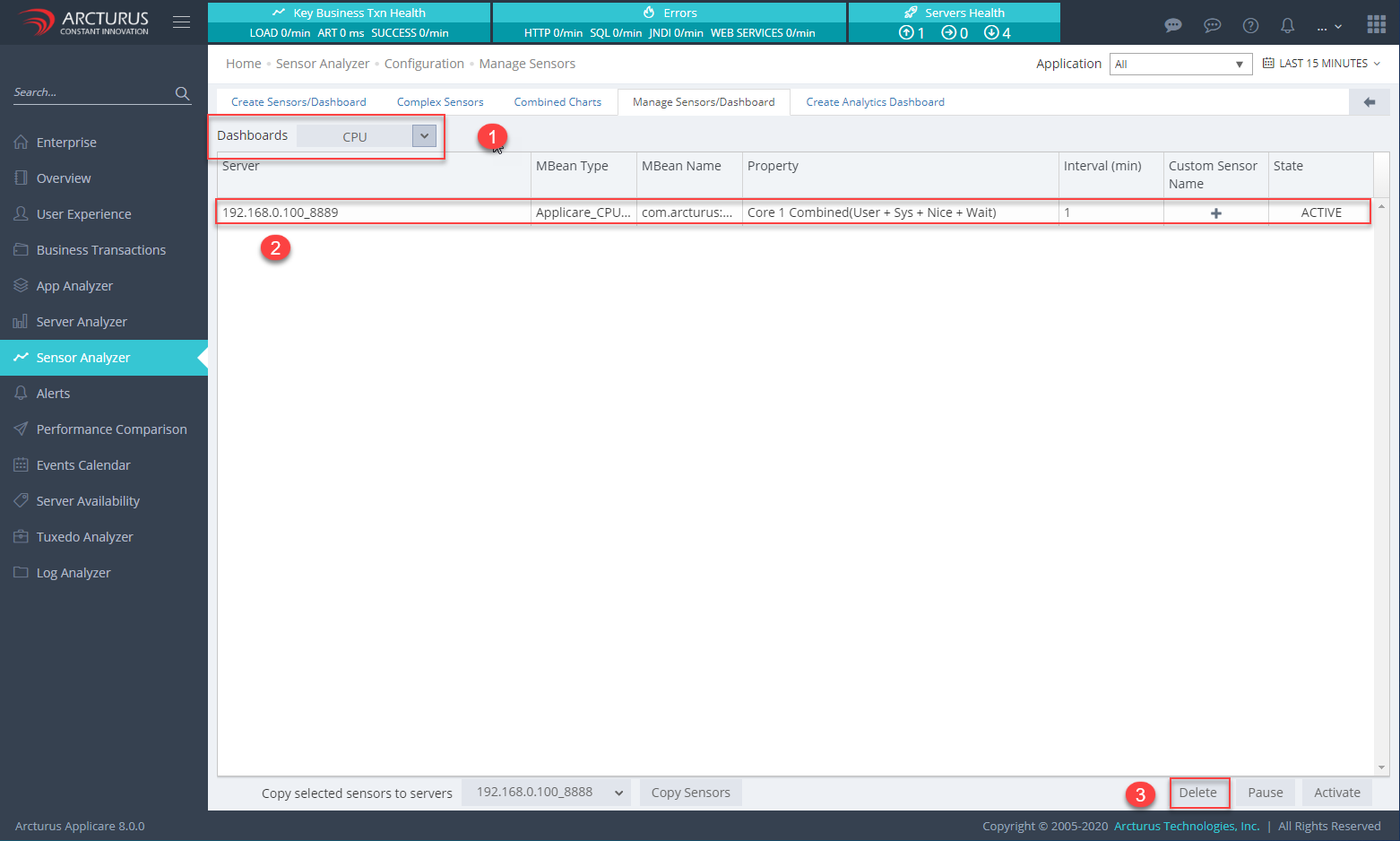
6. Pause Dashboard -> After selecting the rows click the "Pause" button on the bottom of the grid to pause the active dashboard.
7. Activate Dashboard -> After selecting the rows click the "Activate" button on the bottom of the grid to activate the paused dashboard.
Please sign in to leave a comment.
Comments
0 comments