
Monitor executable jar application using Applicare agent / Generic agent

1. If the application is running in a different machine from the one running Applicare server, please execute the following steps.
- Run build_agent.bat or build_agent.sh (depends upon the OS) script in ApplicareServer directory.
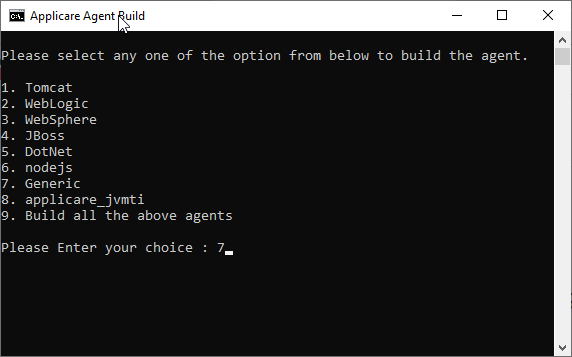
- It will build the agent_Generic.jar file.
- Copy the agent_Generic.jar file to the machine in which the application is running and place it in the same directory location. E.g. if you installed Applicare in C:\Applicare, create a directory as C:\Applicare in the machine running Tomcat server and place the agent_Generic.jar there.
- Run the comman jar –xvf agent_Generic.jar in a console from the newly created directory to extract the jar.
Check the ARCTURUS_HOME environment variable
- Open the <ApplicareAgentDir>/scripts/setGenericAgentEnv.bat or setGenericAgentEnv.sh file (depends upon the OS) and check ARCTURUS_HOME environment variable and the <ApplicareAgentDir> is same.
- If the ARCTURUS_HOME and the <ApplicareAgentDir> is different please modify the ARCTURUS_HOME environment variable to the <ApplicareAgentDir> path.
- Edit your Java server’s startup script and add the following lines at the beginning and replace the values in bold with actual values as per your environment.
On Windows Systems
set SERVER_NAME=<unique name to identify the server>
call <ApplicareAgentDir>\scripts\setGenericAgentEnv.batOn Unix Systems
export SERVER_NAME=<a unique name to identify the server>
. <ApplicareAgentDir>/scripts/setGenericAgentEnv.sh
2. Stop the server
3. To directly run jar with applicare agent
Lets say javaapp.jar is our executable jar application which needs to be monitored and we use below command to run the jar
java -jar javaapp.jar
- -Dserver.name=<unique name to identify the server>
- -javaagent:<ApplicareAgentDir>\applicare-aspects.jar=verbosity=0,logfile=false
- -Darcturus_home=<ApplicareAgentDir>
- -Dapplicare_port=<Port to run Applicare agent>
- -noverify
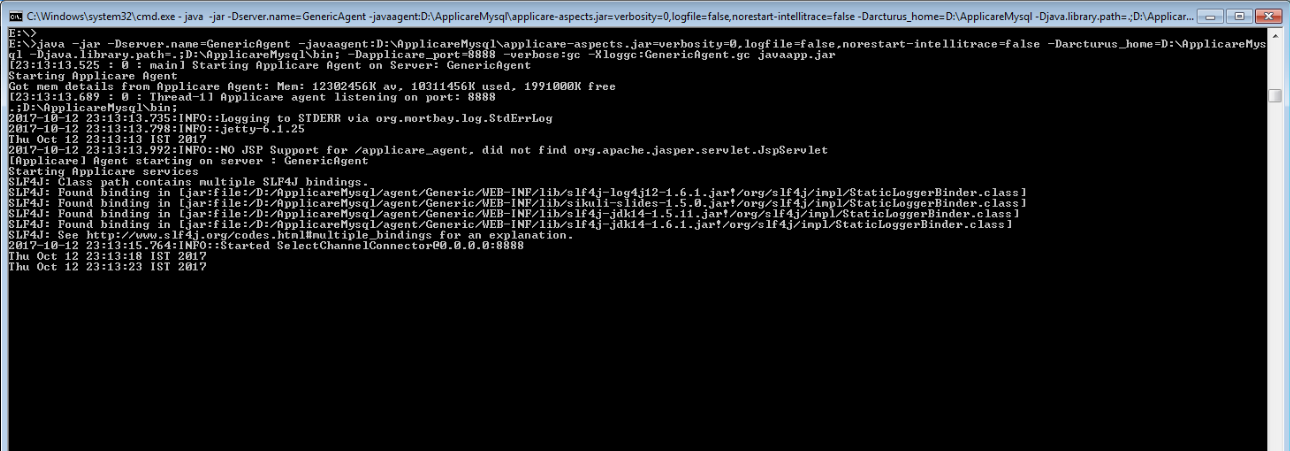
4. If you are staring your server as a service add the following to your service’s JVM options and replace the values in bold with applicable values
- -Dserver.name=<unique name to identify the server>
- -javaagent:<ApplicareDir>\applicare-aspects.jar=verbosity=0,logfile=false
- -Darcturus_home=<ApplicareDir>
- -Dapplicare_port=<Port to run Applicare agent>
5. Make sure the JVM can increase Perm gen to at least 256MB by adding -XX:MaxPermSize=256m to startup arguments. Server might fail to start with Applicare agent if the perm gen size is too low.
6. Start the server.
Note:
Few more JVM Arguments
a) To enable Intellitrace add -DenableIntellitraceDaemon=true to startup arguments.
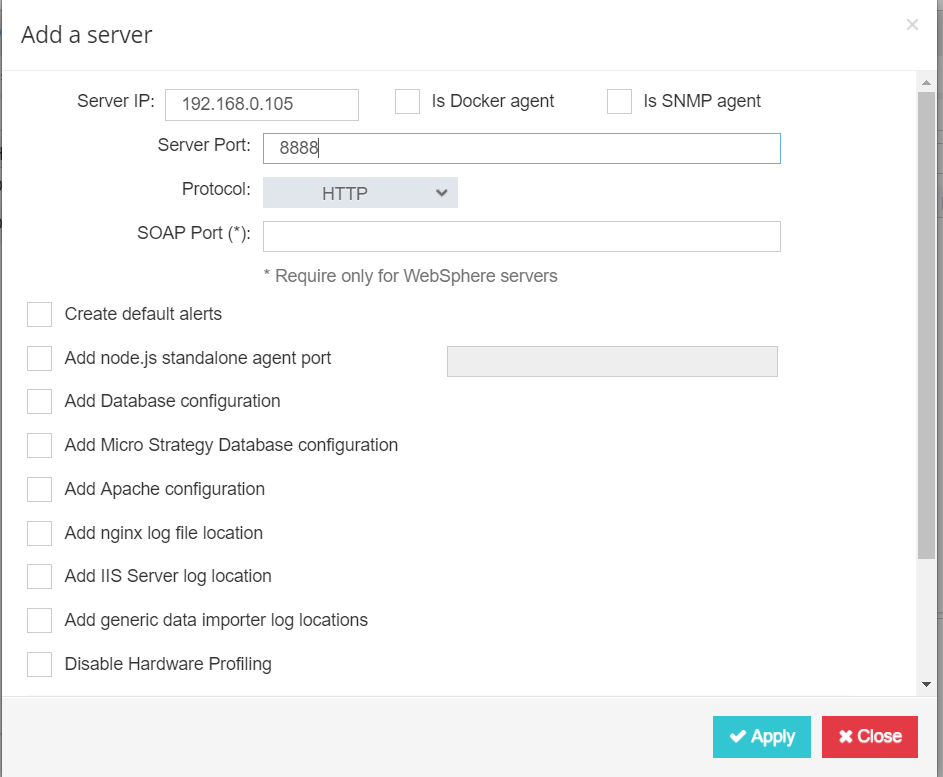
b) To auto add the agent to applicare pass the below arguments in startup (From App 7.5.7)
-Dapplicare.agent.port=<Port to run Applicare agent>
-Dapplicare.agent.apps=<Agent APP Name> (To group agents)
c) Garbage Collector
https://helpdesk.arcturustech.com/hc/en-us/community/posts/360055055211-Garbage-Collector

Please sign in to leave a comment.
Comments
0 comments