
Monitor external REST/SOAP Web Services using synthetic monitoring

Open Jmeter GUI by running the jmeter.bat script from the directory <Aplicare_Home_Directory>\bin\jakarta-jmeter\bin
Create a Thread Group with 1 user, 1 loop count and 1 Ramp-up seconds
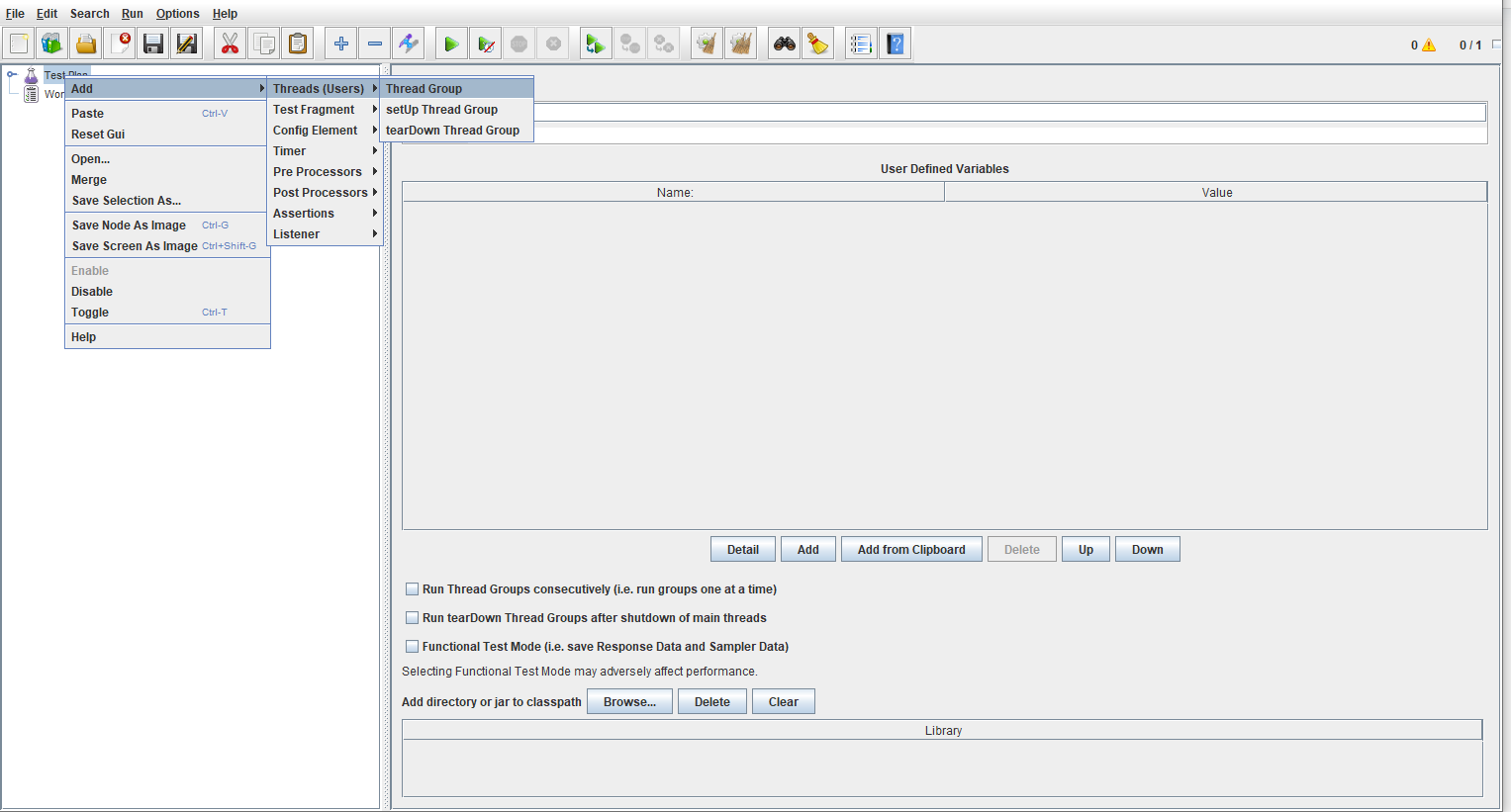
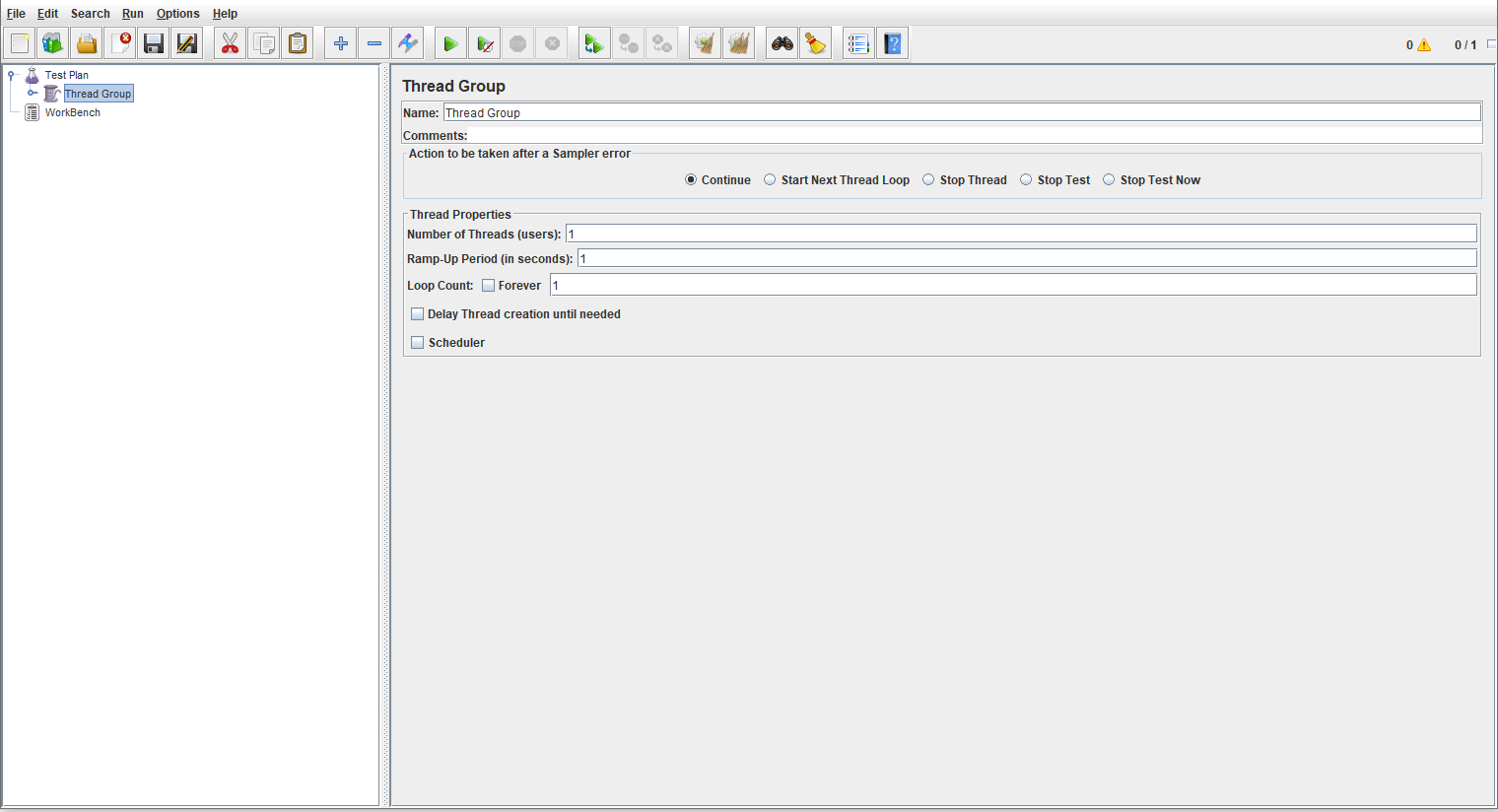
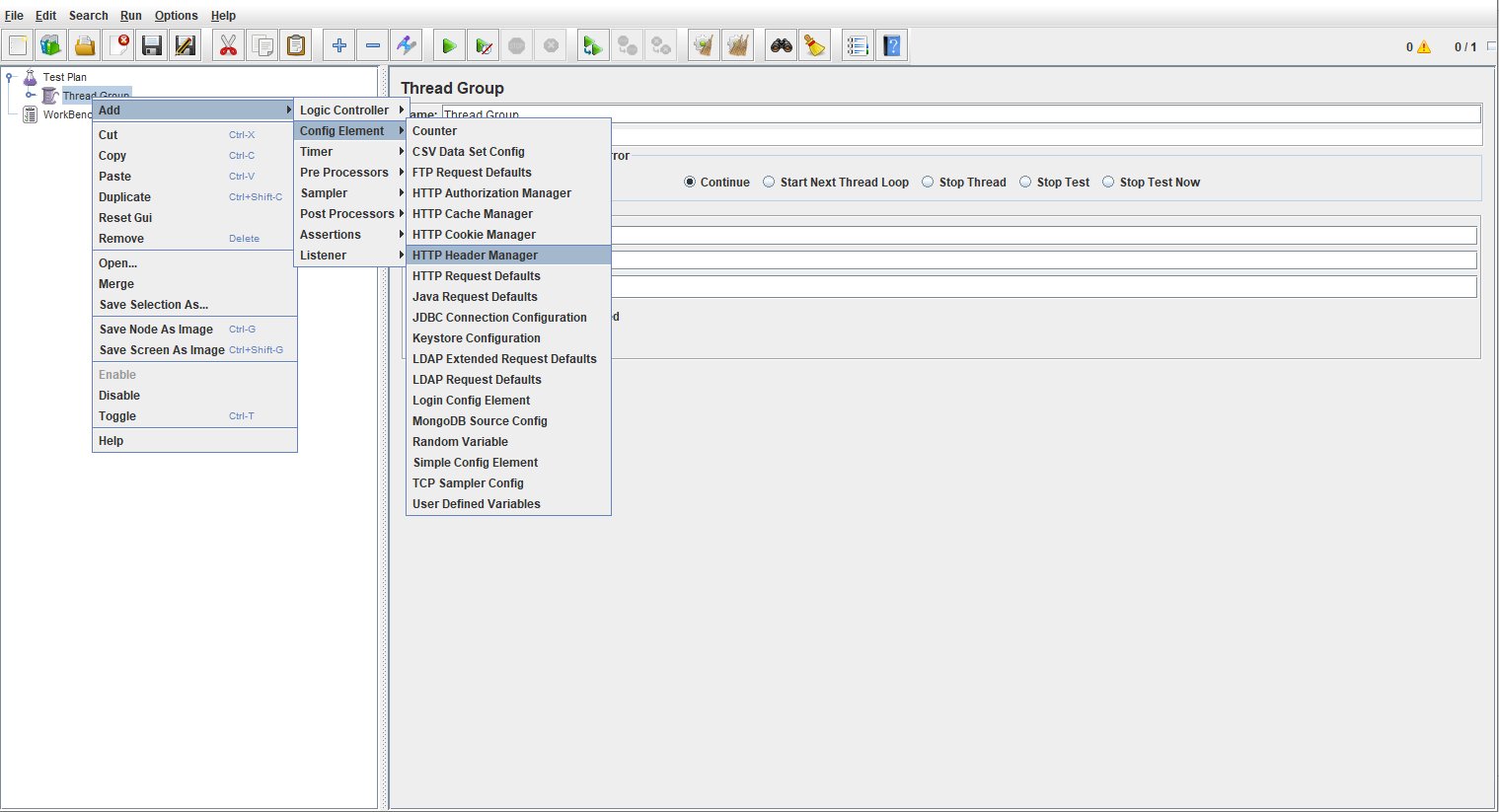
Under Thread Group create Http Header Manager by right click Thread Group -> Add -> Config Element -> Http Header Manager
Add the necessary headers
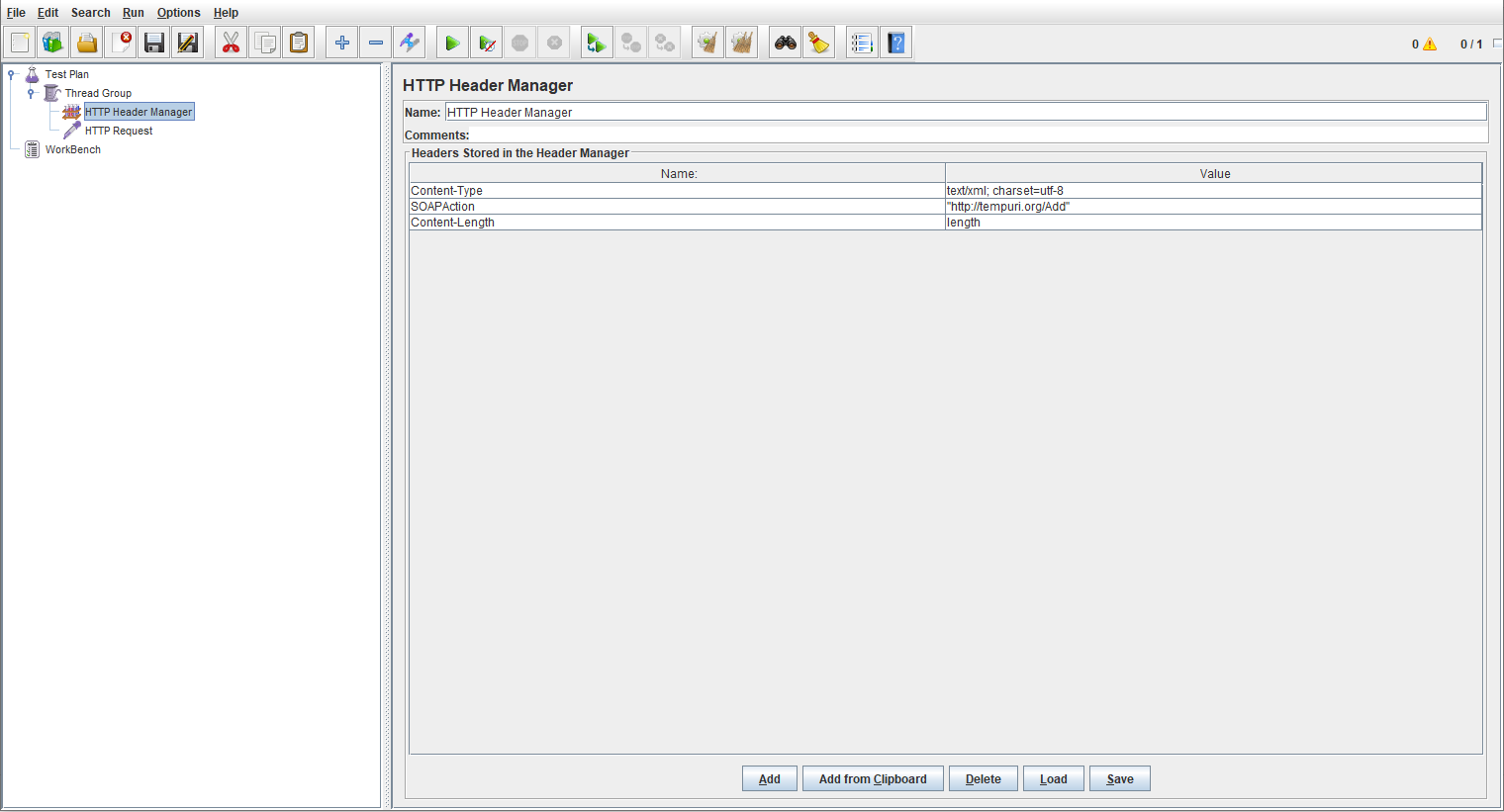
Then, add Http Request by right click Thread Group -> Add -> Sampler -> Http Request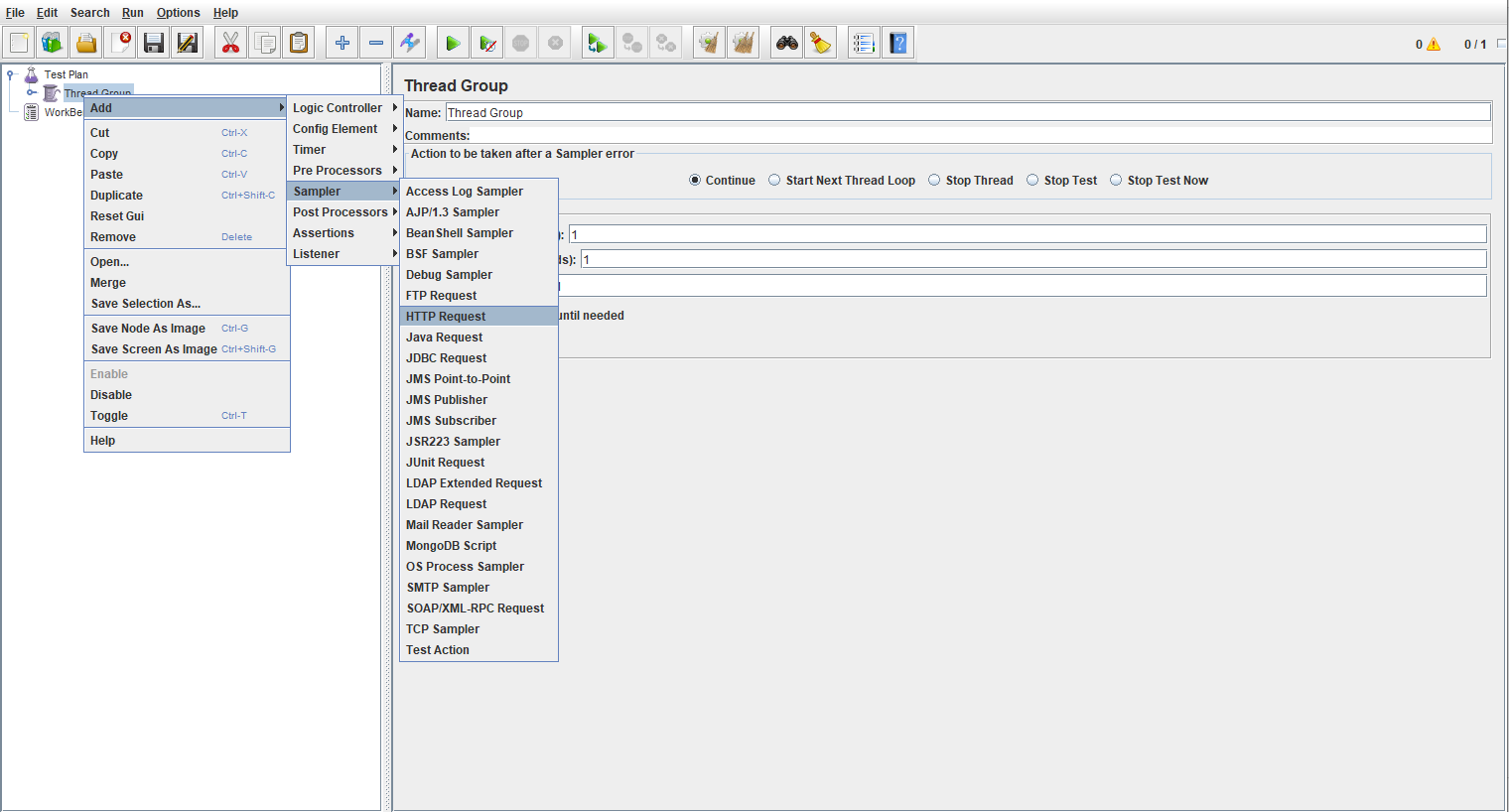
Enter valid details of the webservice protocol, ip, port, path, body or params, method etc.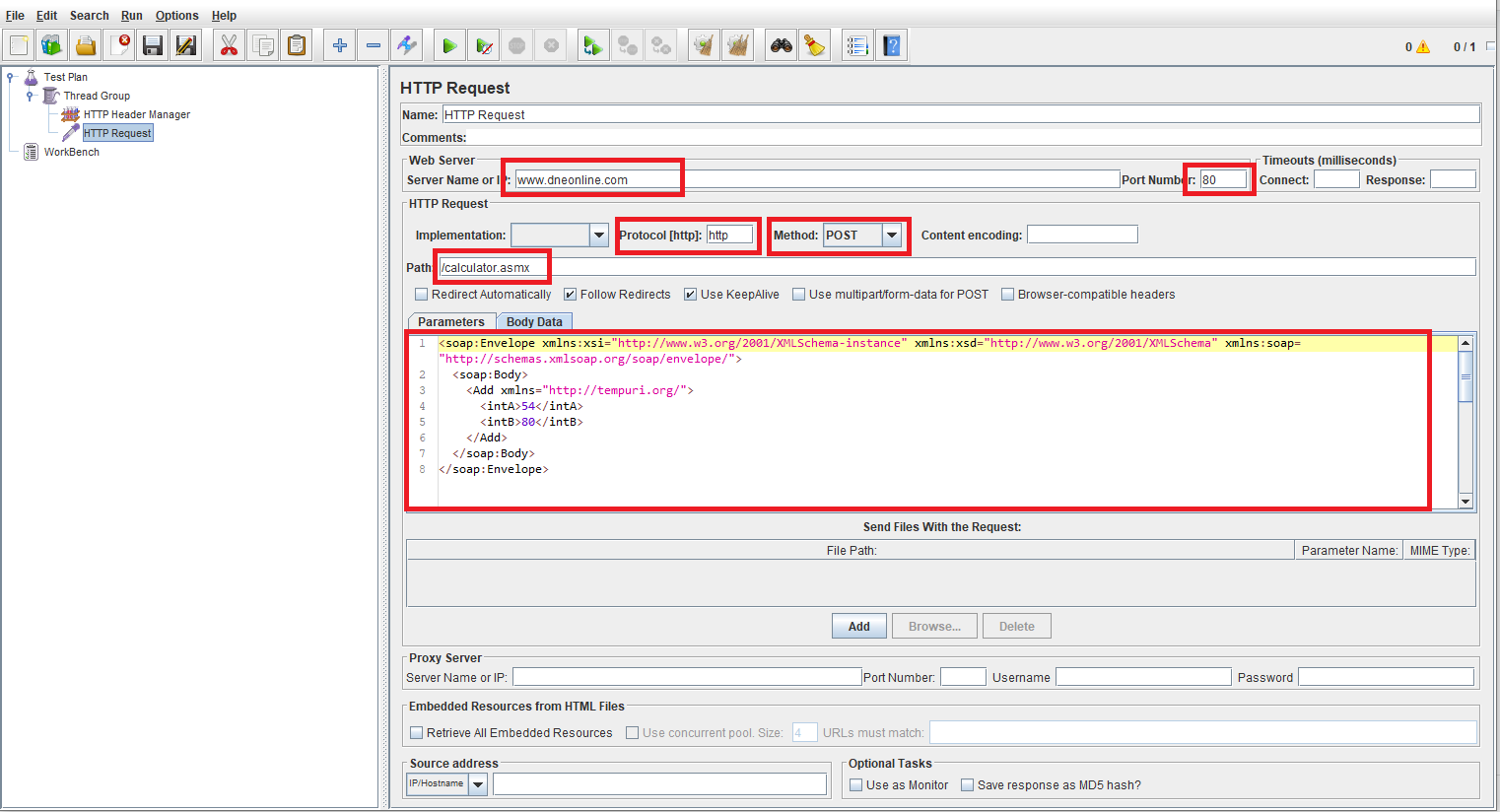
Save the script.
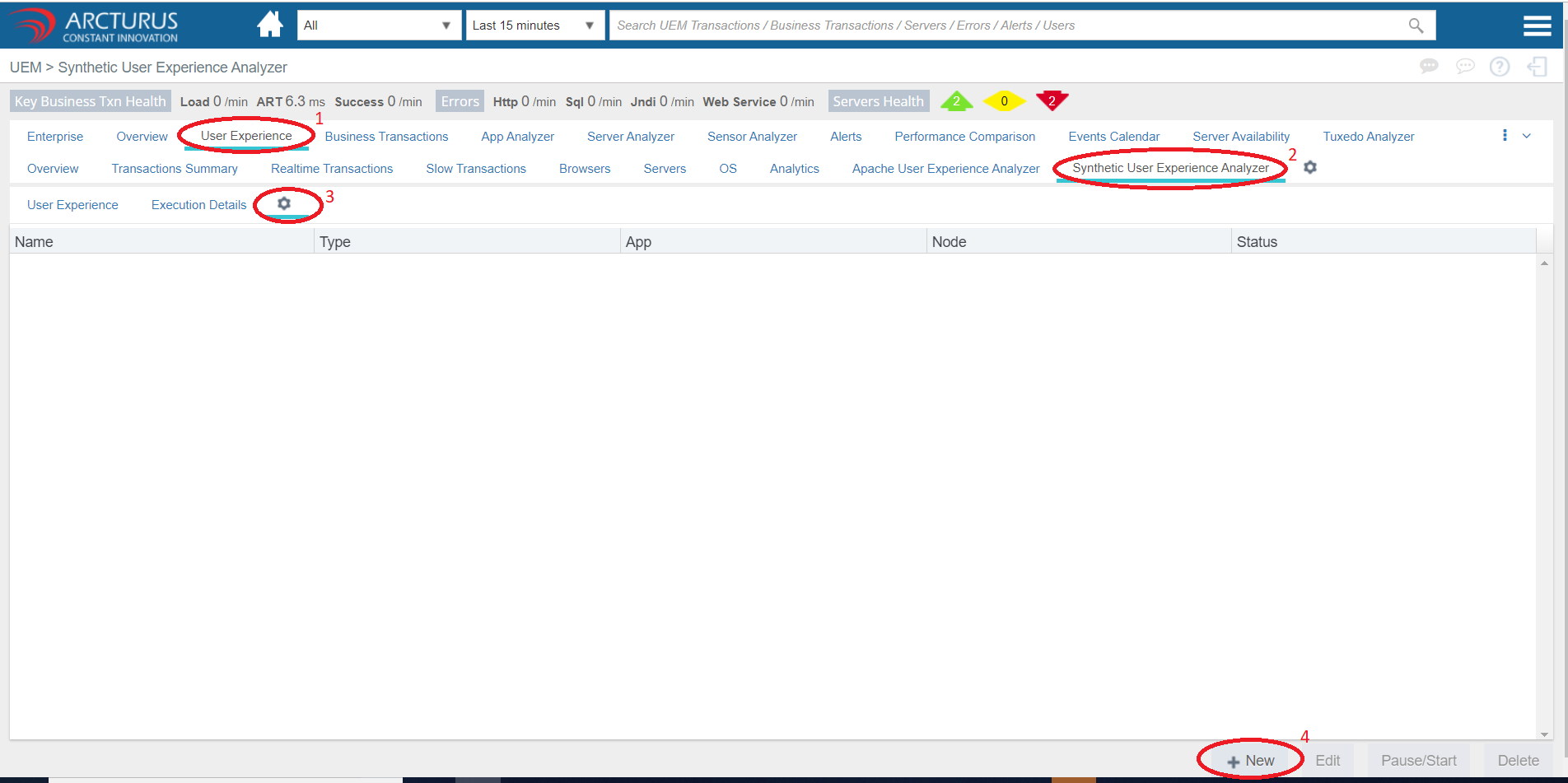
Now login applicare dashboard and navigate to User Experience -> Synthetic User Experience Analyzer-> Settings and then click on New button.
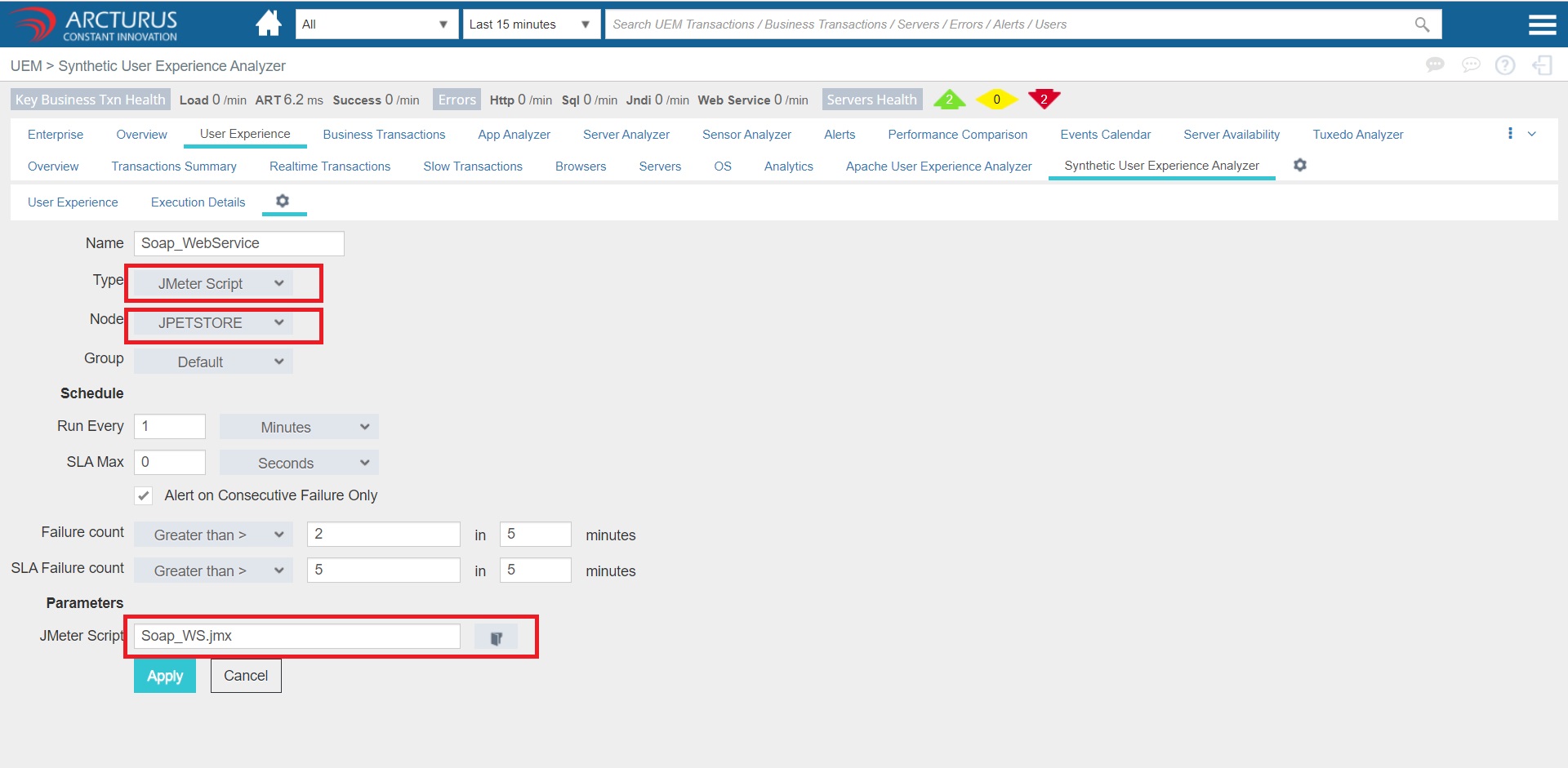
In the config screen enter a name and select Jmeter Script from Type dropdown.
In Node dropdown select the server from which the request has to be made.
Then select the Jmeter script to upload and click on the Apply button.
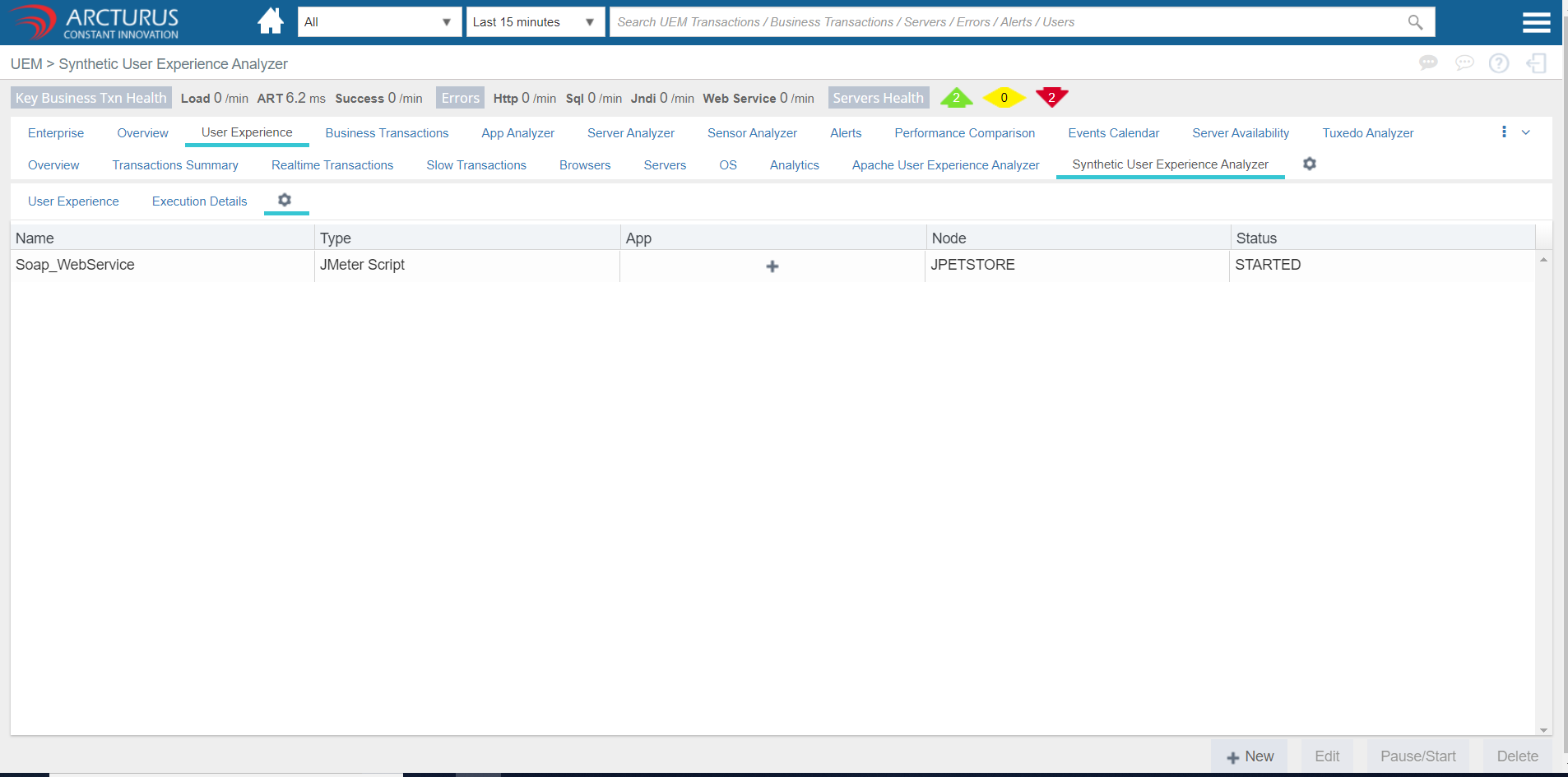
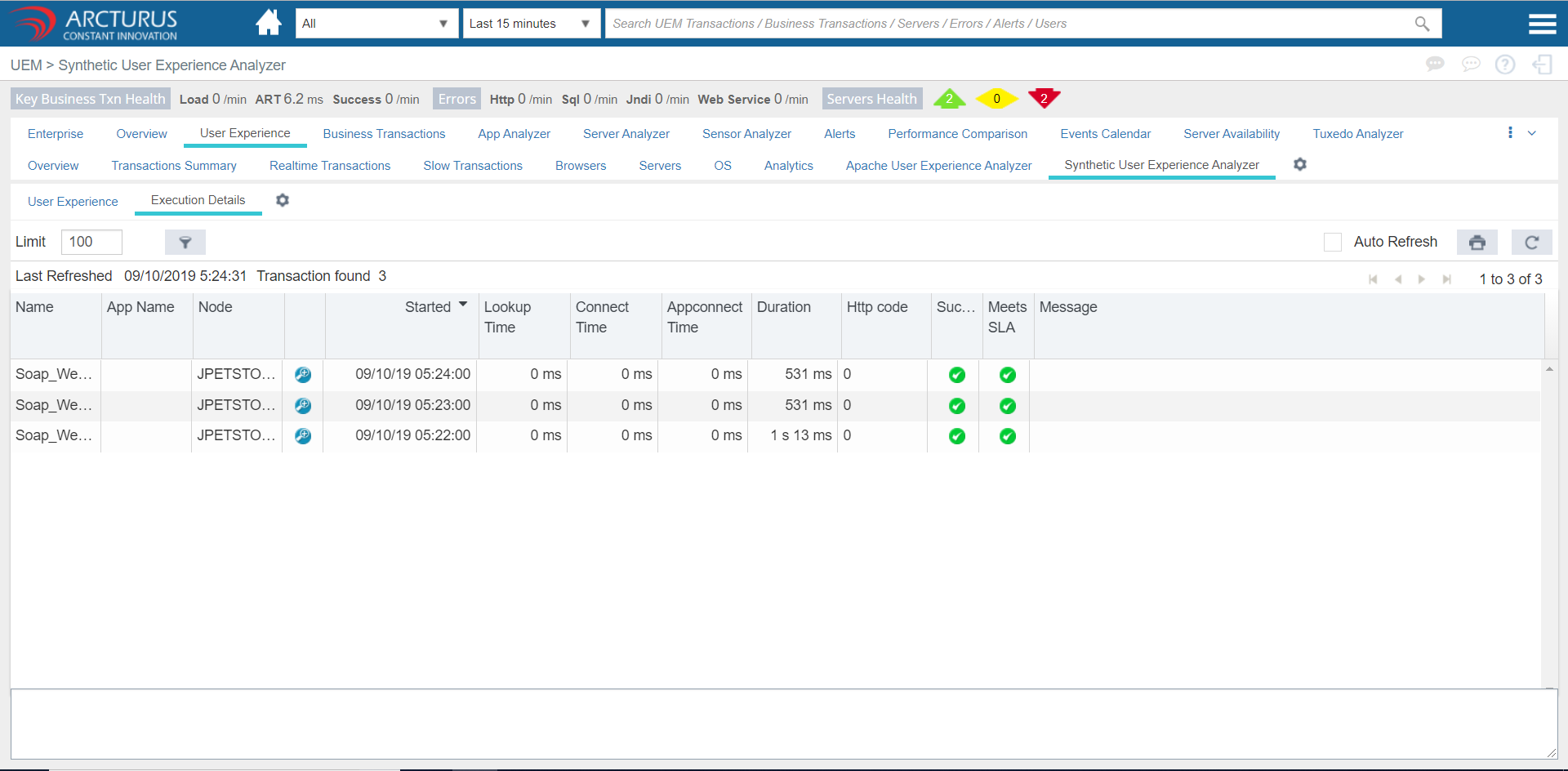
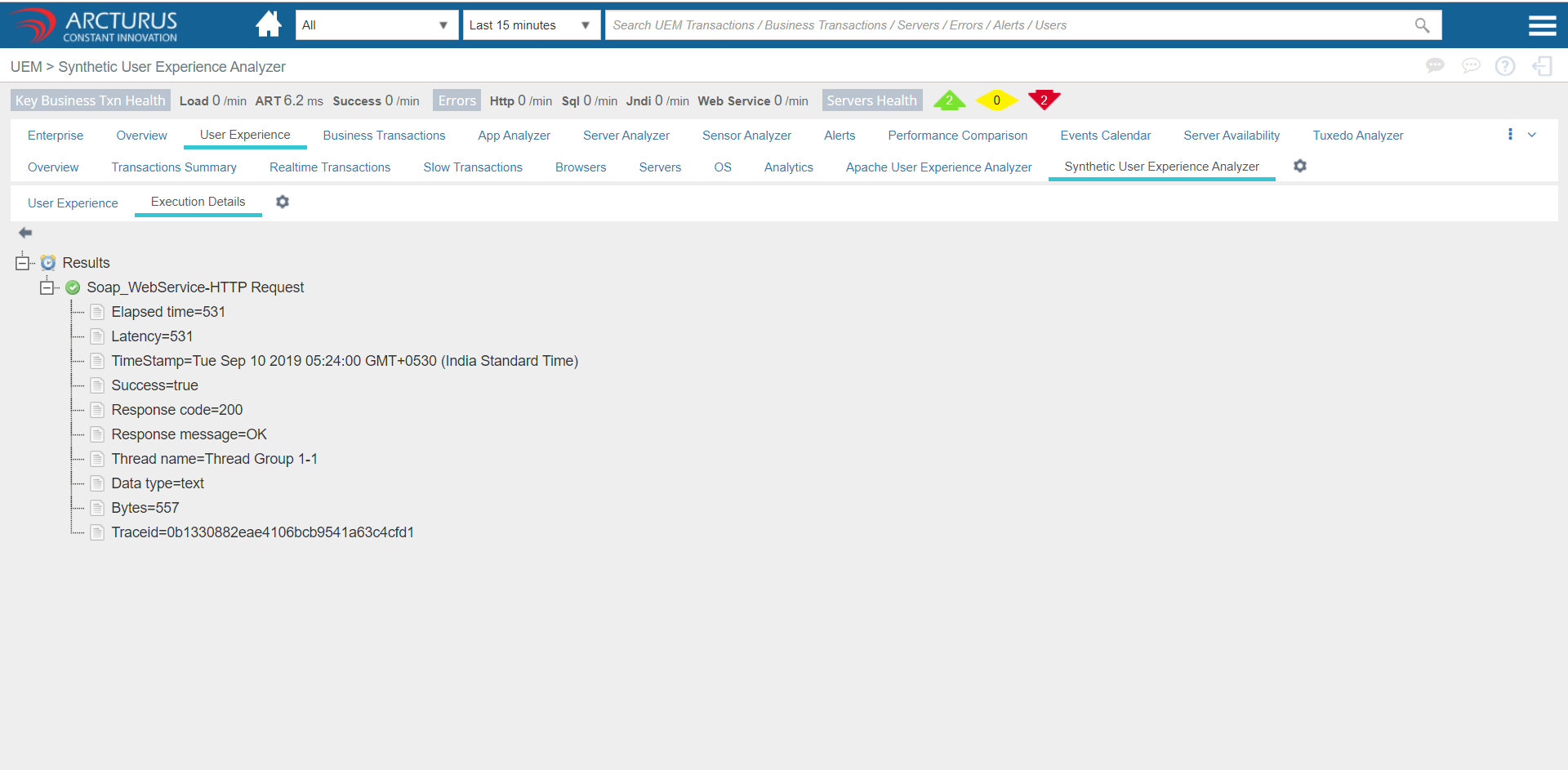
Now synthetic monitor will starts to run and we will see the data in few mins.
Please sign in to leave a comment.
Comments
0 comments