
Differentiate same URLs/APIs with different parameters

To differentiate same urls/apis with different parameters in an application, we can add the urls as KBT (key business transaction) with the parameters.
Eg: If we have an api /test/api/values in our application which takes different parameters and you want to differentiate the apis based on the values of a parameter named controller, then we can add the api /test/api/values as a KBT with the parameter and its value.


Steps to add kbt with parameter and values
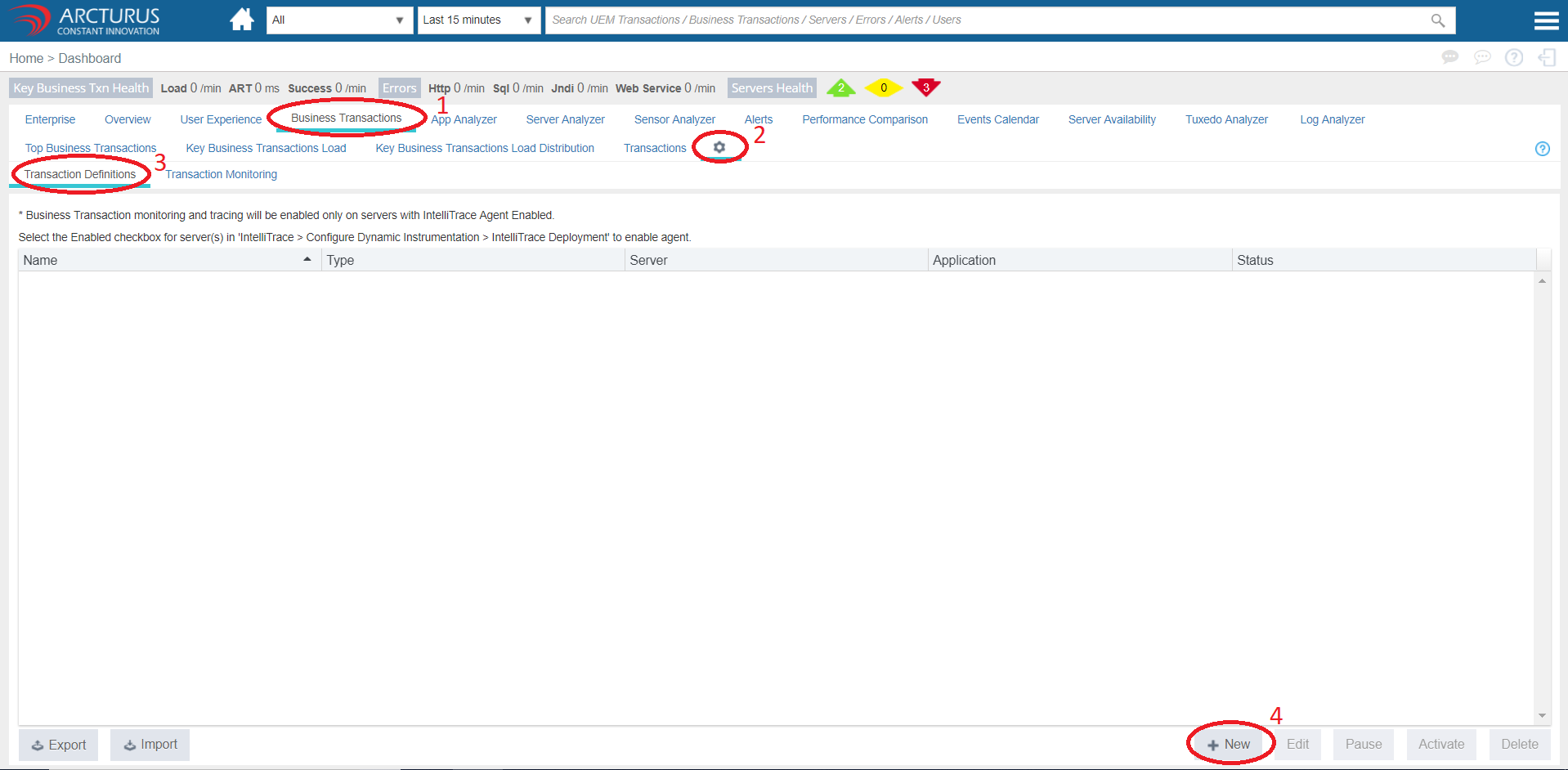
1. In applicare dashboard go to Business transactions -> settings -> transaction definitions. Then click on Add button.
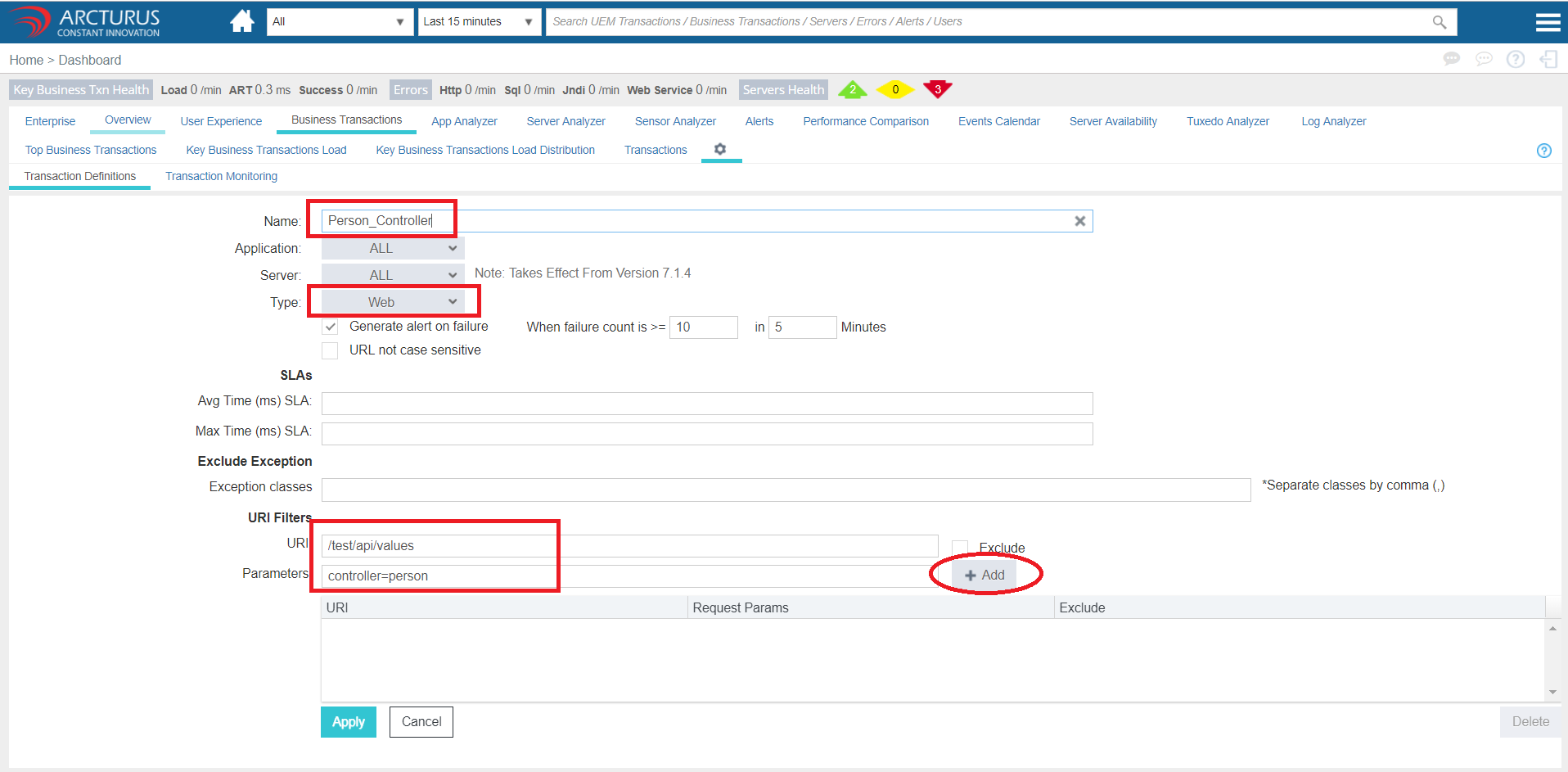
2. In the configuration window,
a. Enter a unique name for the kbt.
b. select the option Web from Type dropdown.
c. Enter the URL in the URI text box without url query parameters.
d. In the parameters text box enter the parameter and its value seperated by the equal (=) symbol.
e. Click on Add button and then click on Apply button to save the kbt.
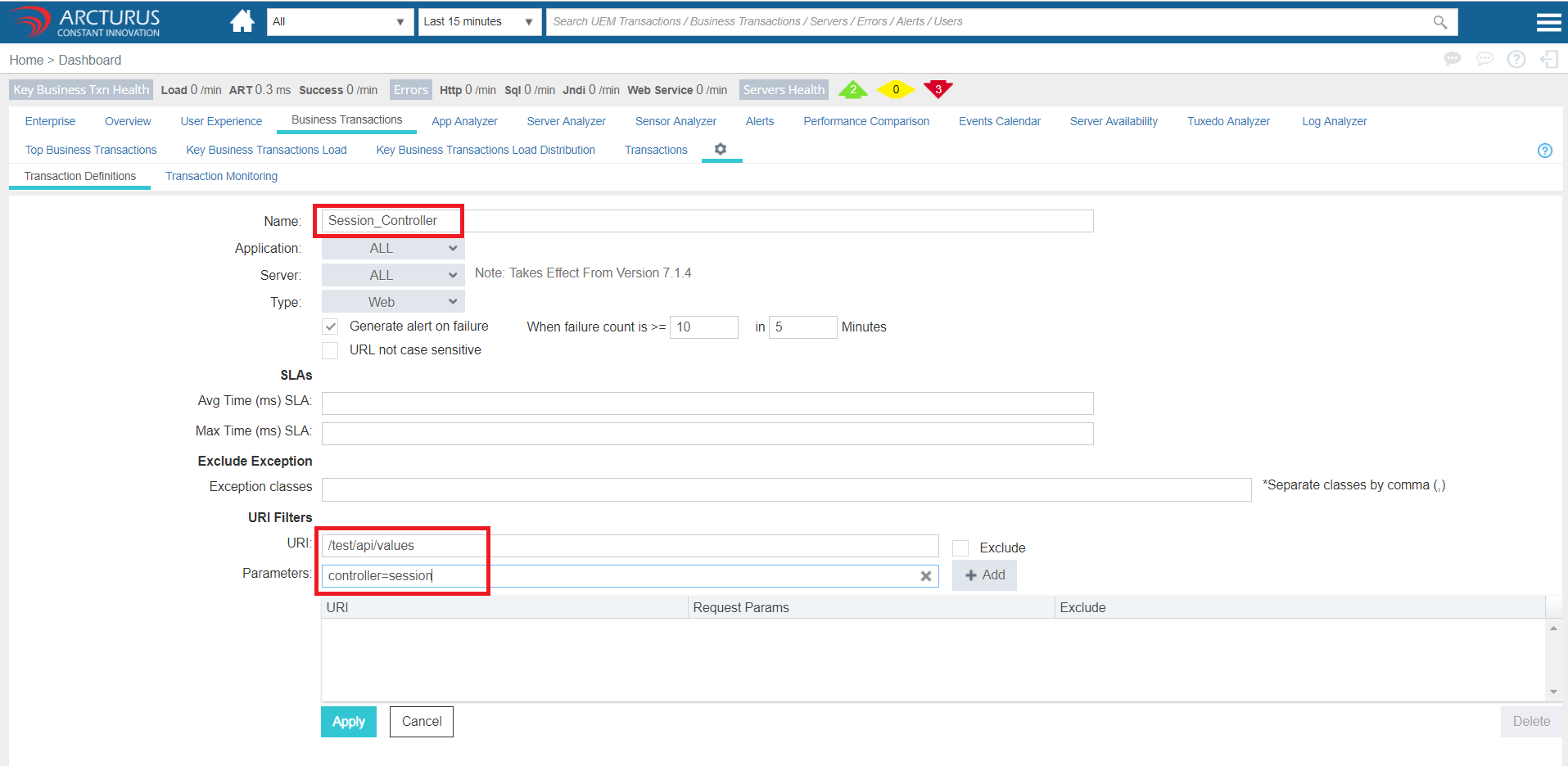
Similarly add multiple KBTs with the different parameter values.
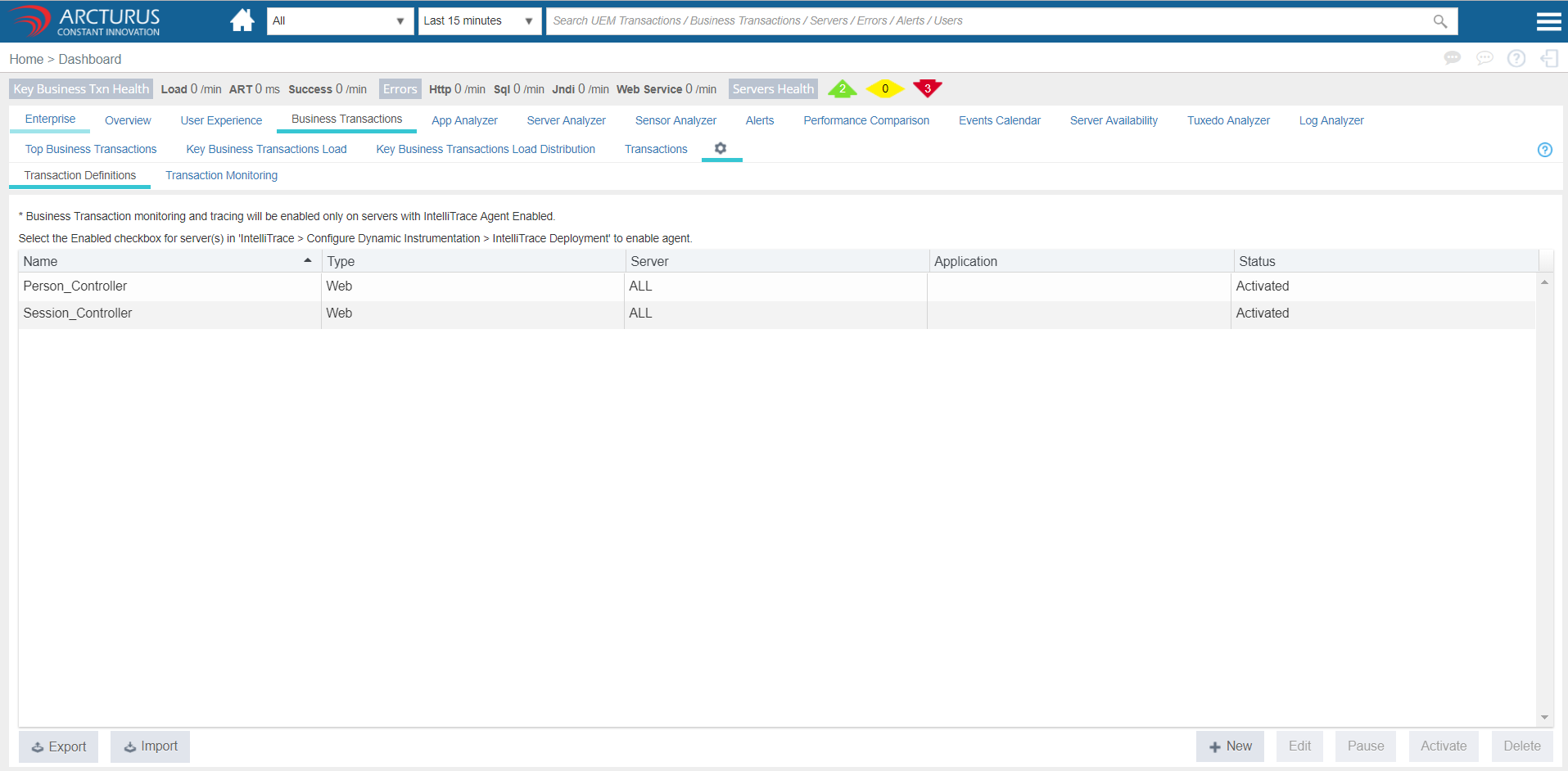
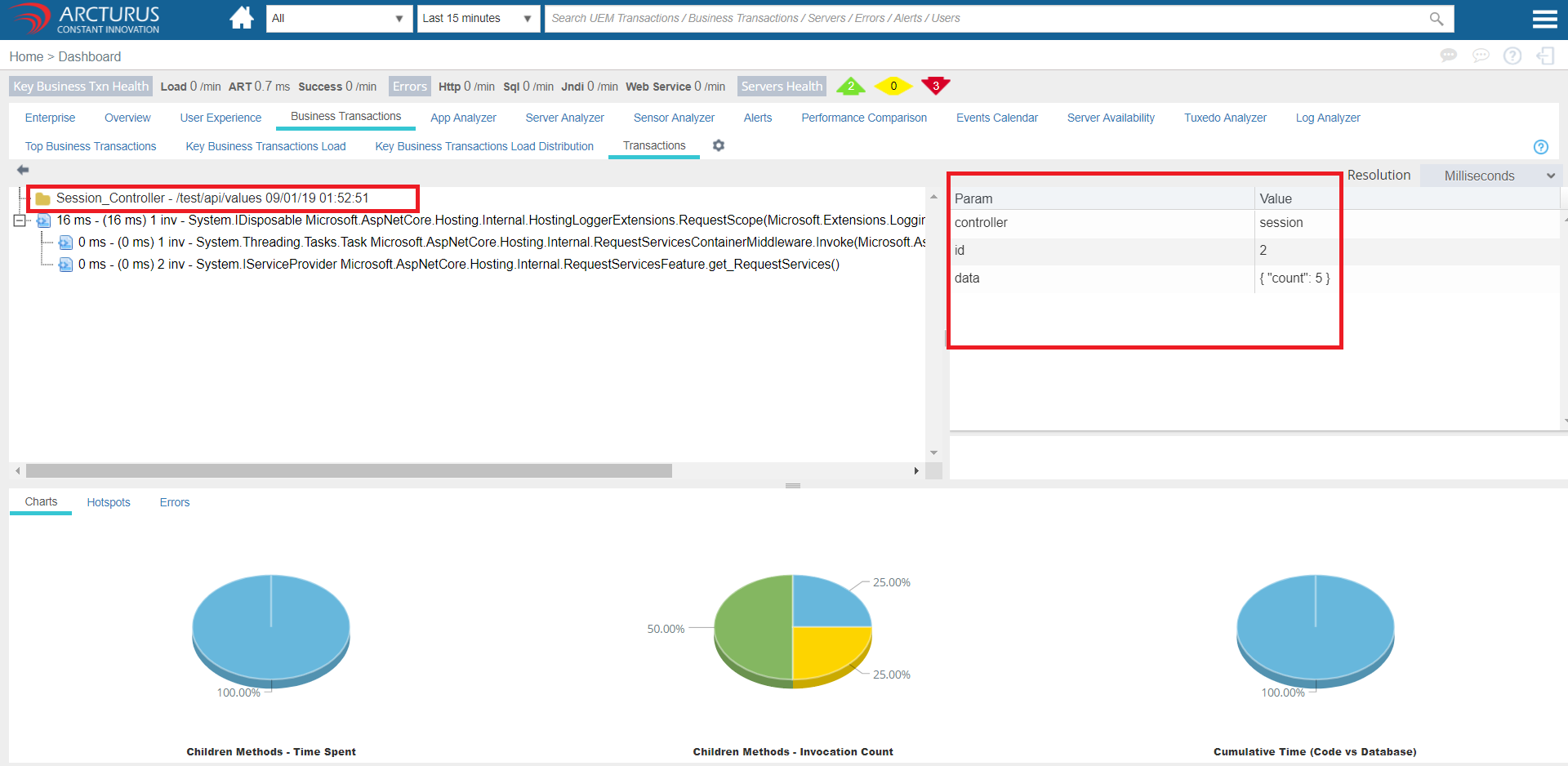
We are done. Now we can see the transaction details in Business Transactions -> Transactions screen whenever transactions occurs in the app server with the configured url and param values.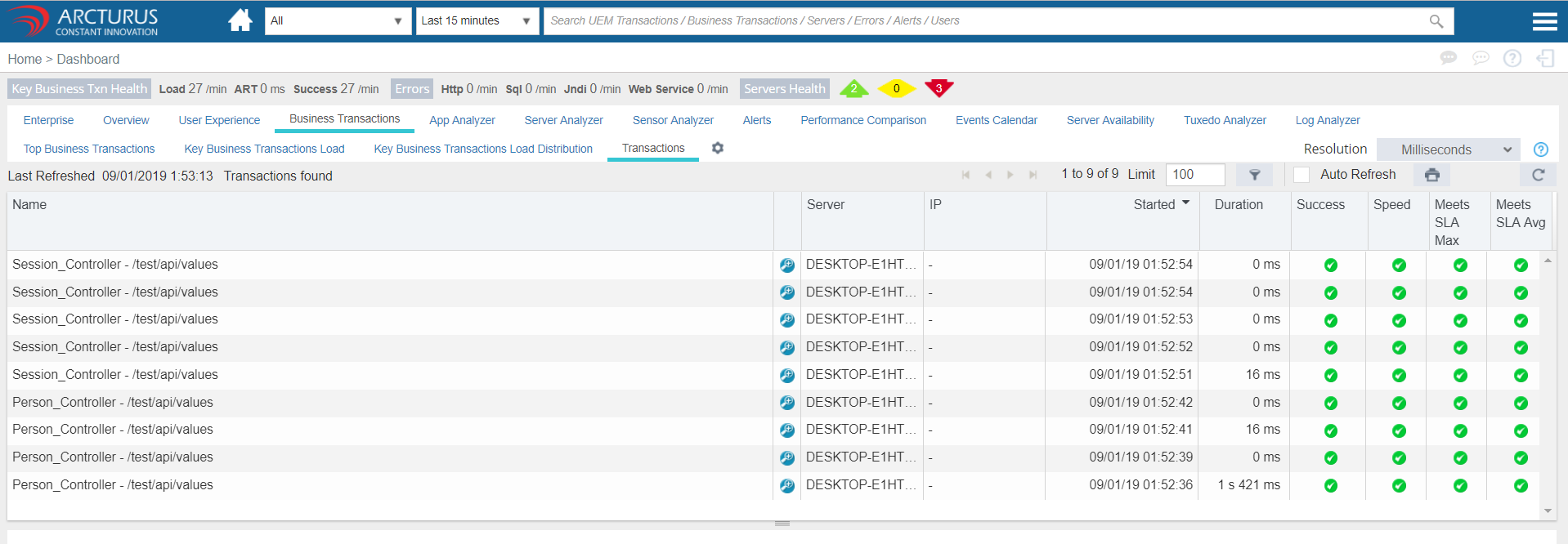
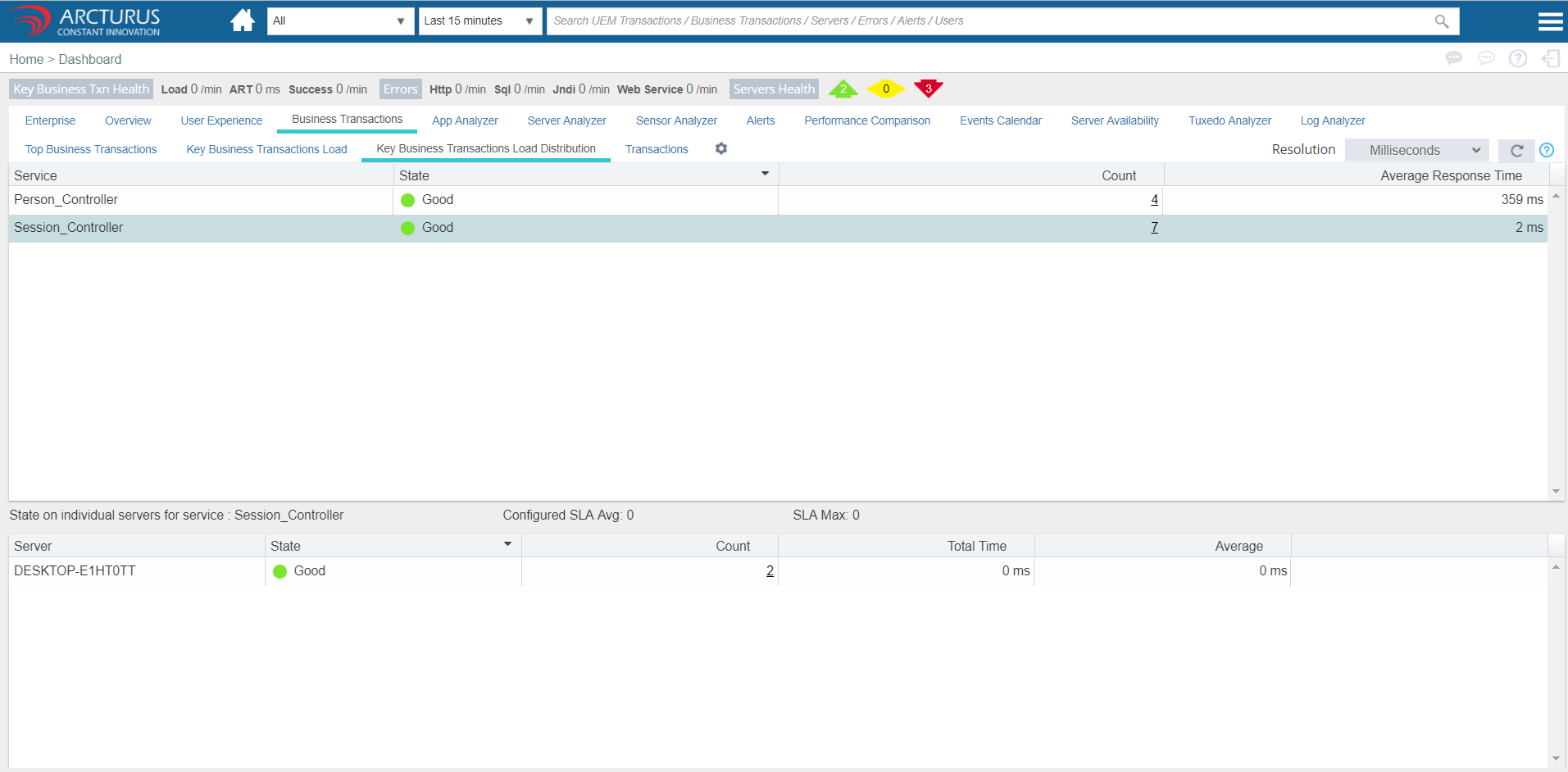
Business Transactions -> Key Business Transactions Load Distribution screen, will show the average performance of the transactions.
Please sign in to leave a comment.
Comments
0 comments