
Monitor JIRA server using applicare

JIRA is a tomcat service.
Run command prompt in admin mode and open the JIRA service using the command tomcat7w //ES//
eg: tomcat7w //ES//JIRA060819192357
Note: We can find the service name from service.bat script in the same directory where statup.bat or tomcat7.exe exists.
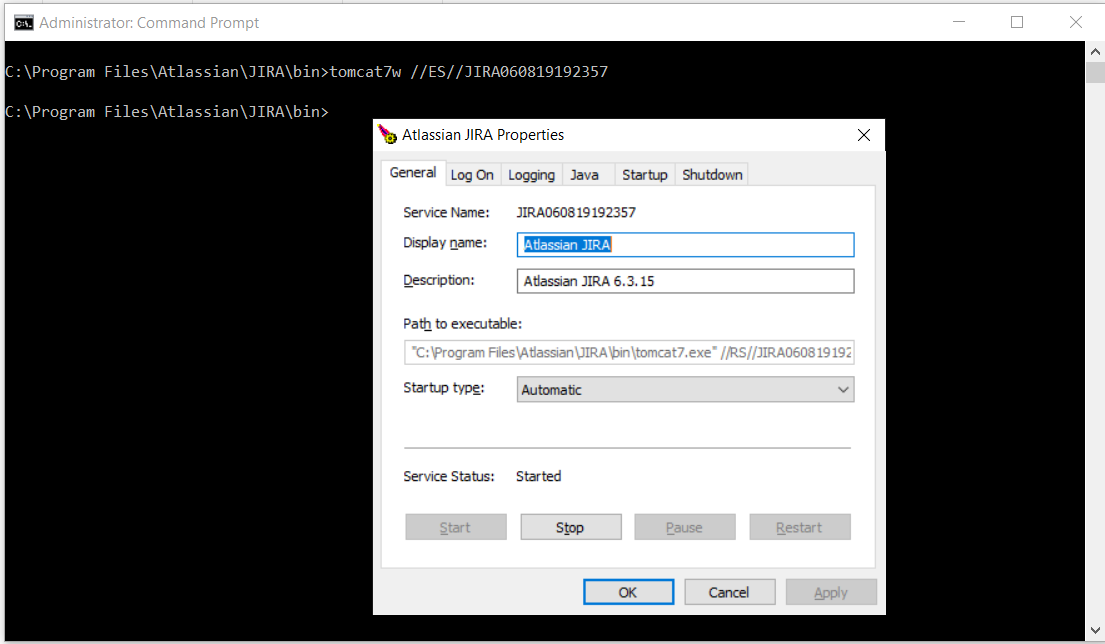
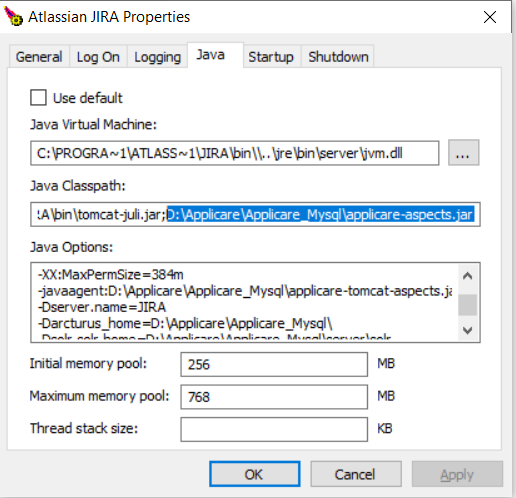
In the service properties window go to JAVA tab.
In the Java classpath add the path
<APPLICARE_HOME>\applicare-aspects.jar
In the Java options add below jvm arguments:
-javaagent:<APPLICARE_HOME>\applicare-tomcat-aspects.jar=verbosity=0,logfile=false,norestart-intellitrace=false
-Dserver.name=<UNIQUE_SERVER_NAME>
-Darcturus_home=<APPLICARE_HOME>
-Dsolr.solr.home=<APPLICARE_HOME>\server\solr
-Djava.library.path=.;<APPLICARE_HOME>\bin
-verbose:gc
-Xloggc:<UNIQUE_SERVER_NAME>.gc
Sample:
-javaagent:D:\Applicare\Applicare_Mysql\applicare-tomcat-aspects.jar=verbosity=0,logfile=false,norestart-intellitrace=false
-Dserver.name=JIRA
-Darcturus_home=D:\Applicare\Applicare_Mysql\
-Dsolr.solr.home=D:\Applicare\Applicare_Mysql\server\solr
-Djava.library.path=.;D:\Applicare\Applicare_Mysql\bin
-verbose:gc
-Xloggc:JIRA.gc
Copy applicare_agent.war from <Applicare_Home>/agent/Tomcat to JIRA tomcat's webapp directory
Then restart agent.
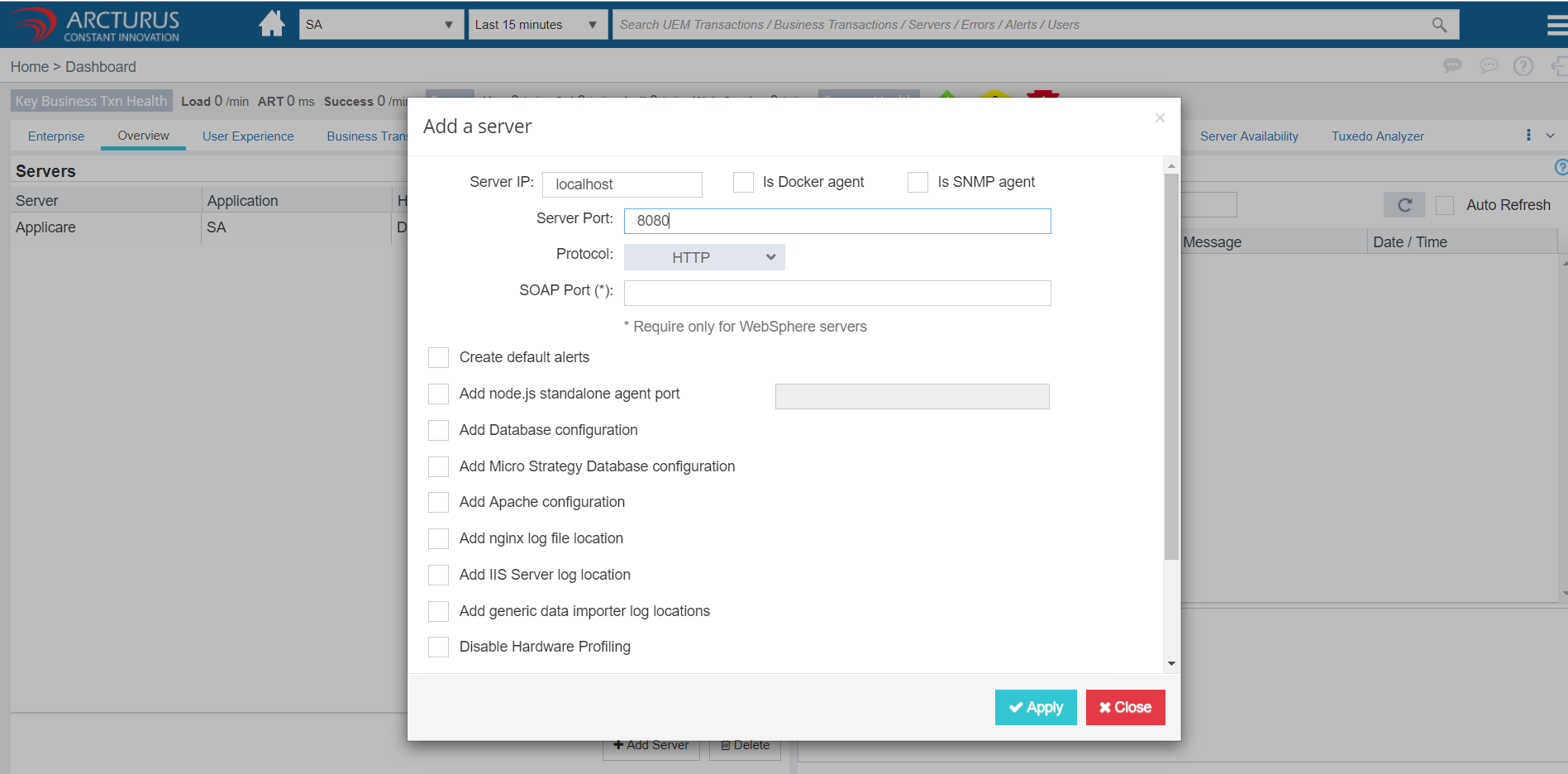
Now add agent in the applicare dasboard
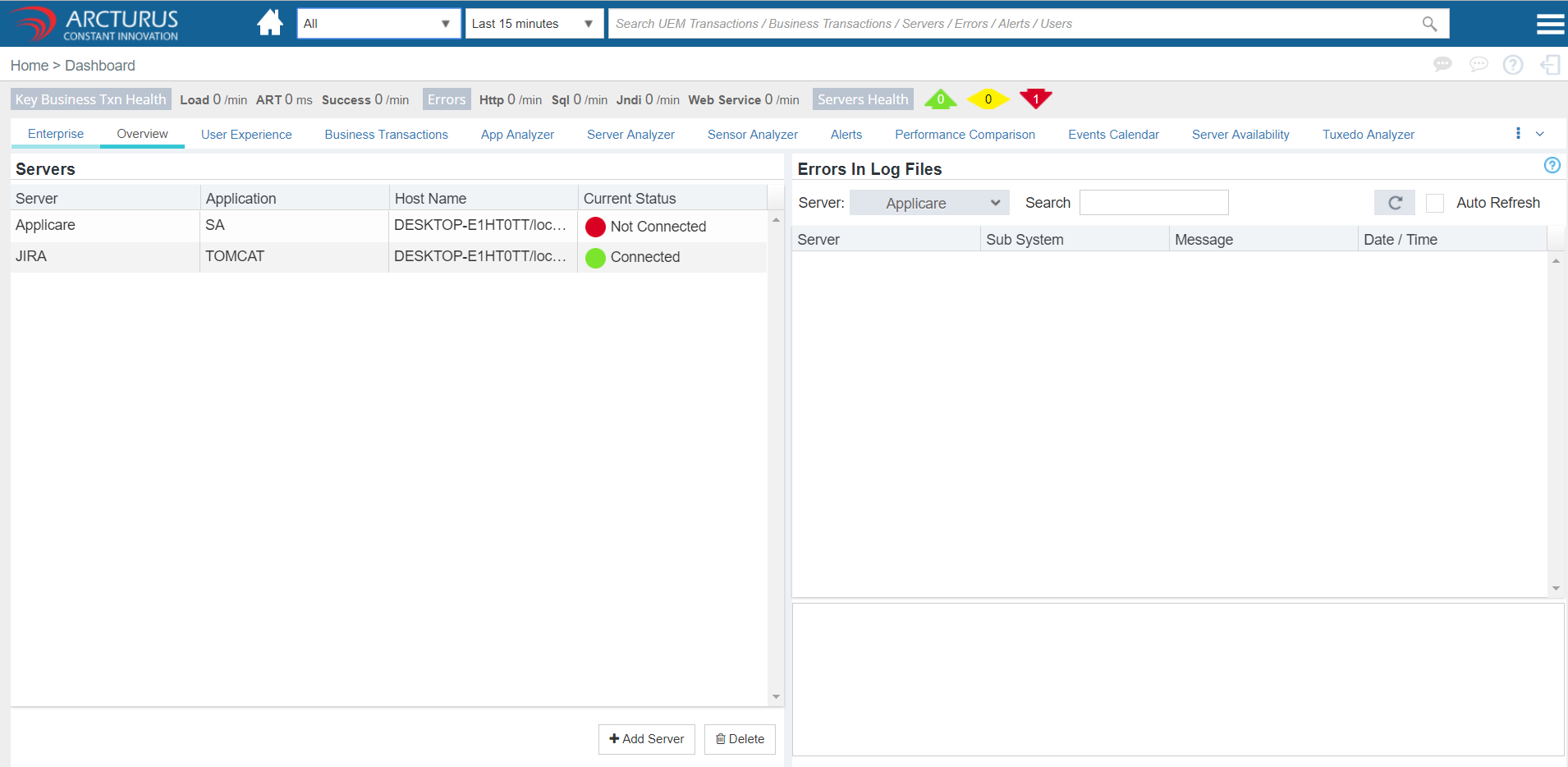
Enable the instrumentation aspects we want to monitor from Configure dynamic instrumentation -> IntelliTrace Deployment
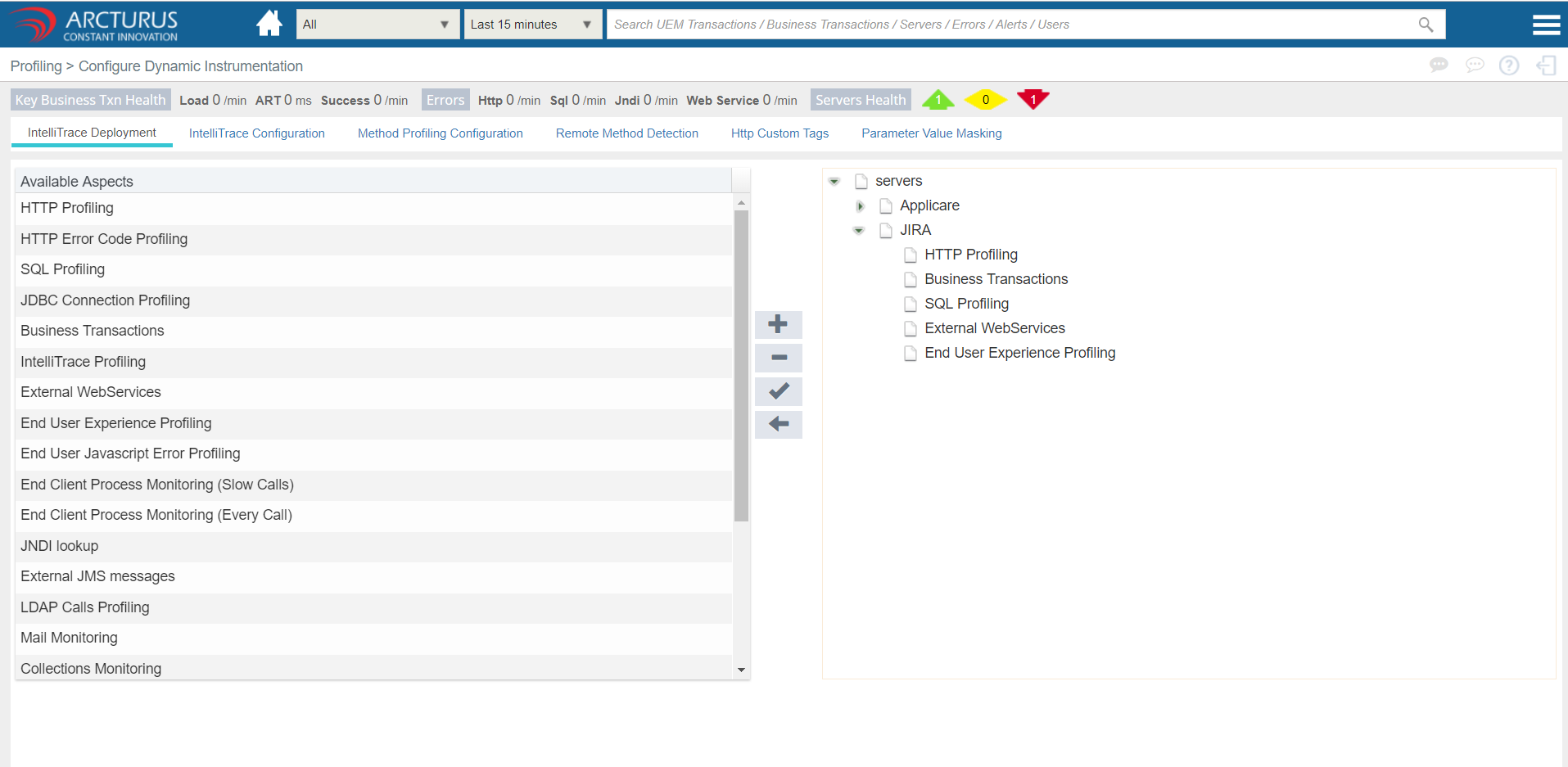
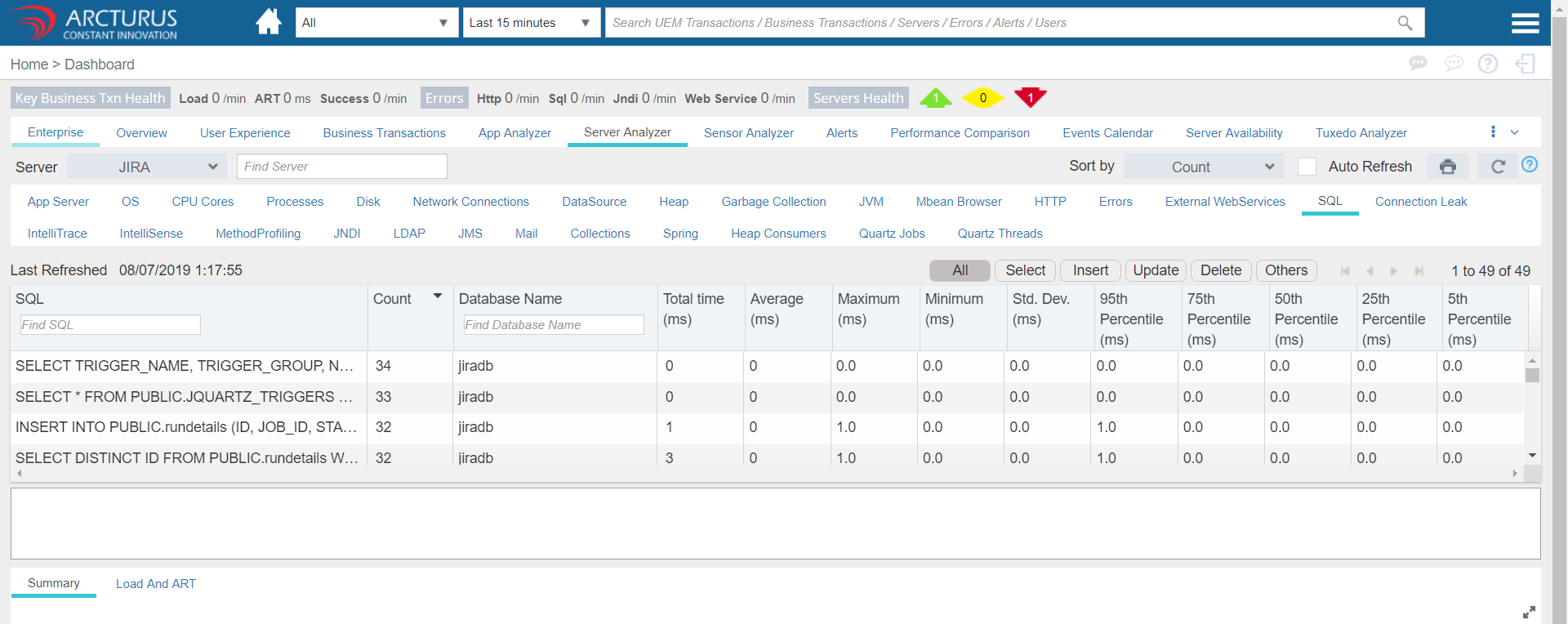
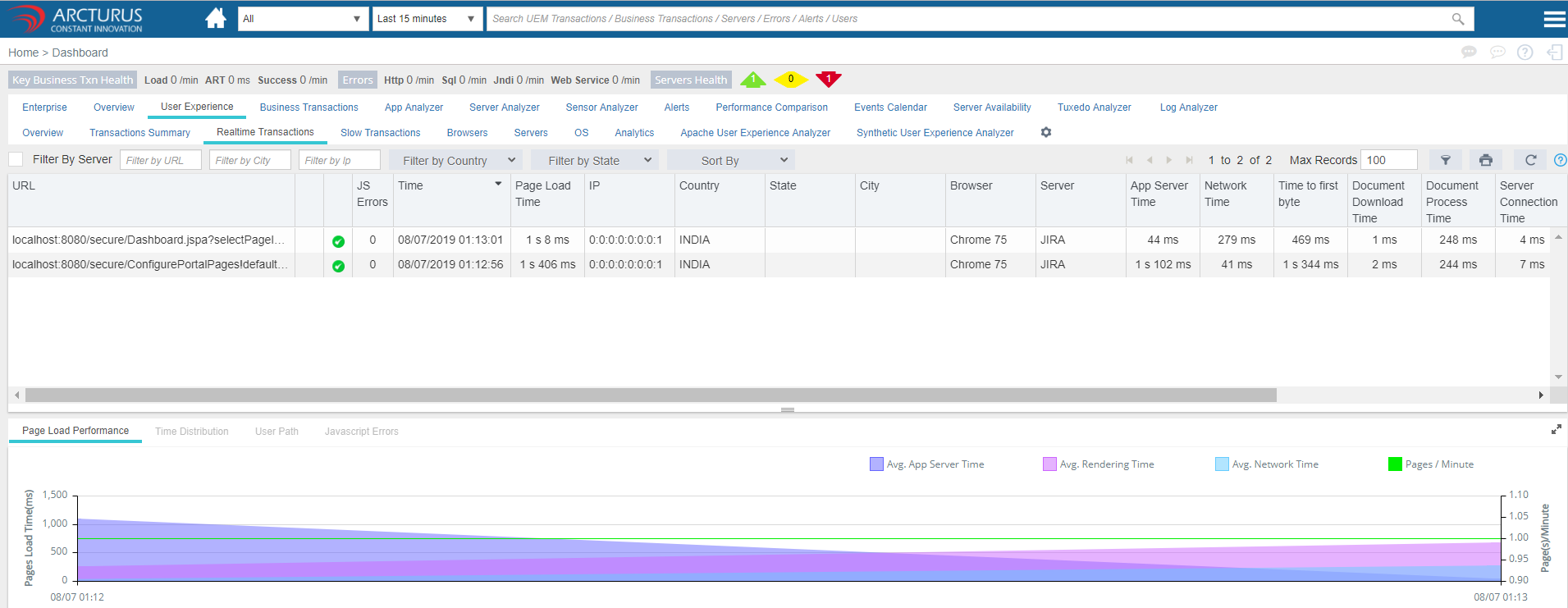
Now make some transactions in JIRA application. Then we will start to see data in applicare dashboard.


Please sign in to leave a comment.
Comments
0 comments