
Monitor Applicare server / Add Applicare server as one of the agent

To monitor Applicare server we need to add applicare server as one of the agent in Applicare dashboard.
Add below jvm arguments in catalina.bat file in the directory <APPLICARE_HOME>/server/bin
-javaagent:<APPLICARE_HOME>\applicare-aspects.jar=verbosity=0,logfile=false,norestart-intellitrace=false
Note: Replace <APPLICARE_HOME> with the path of the applicare directory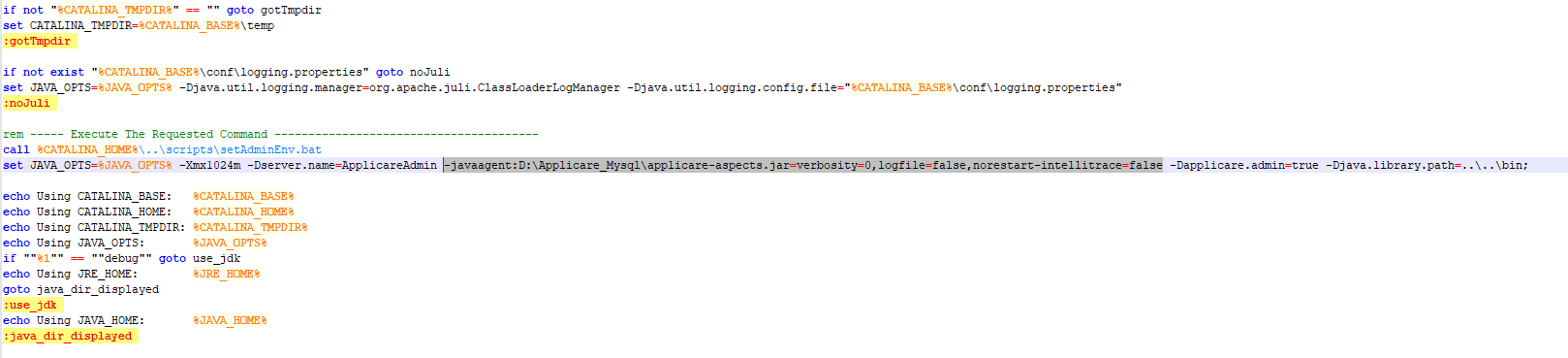
After the above changes restart Applicare server.
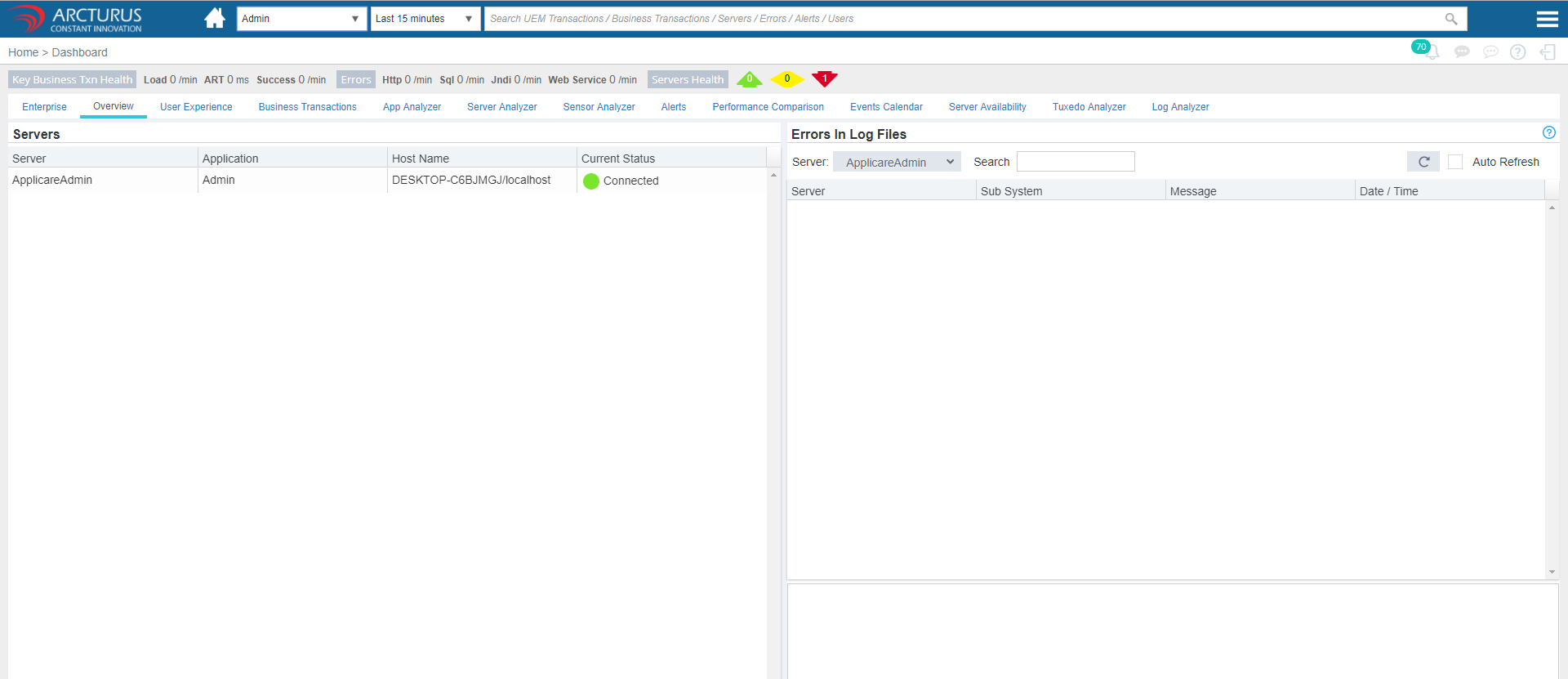
Now, login Applicare dashboard and add agent with applicare server ip and port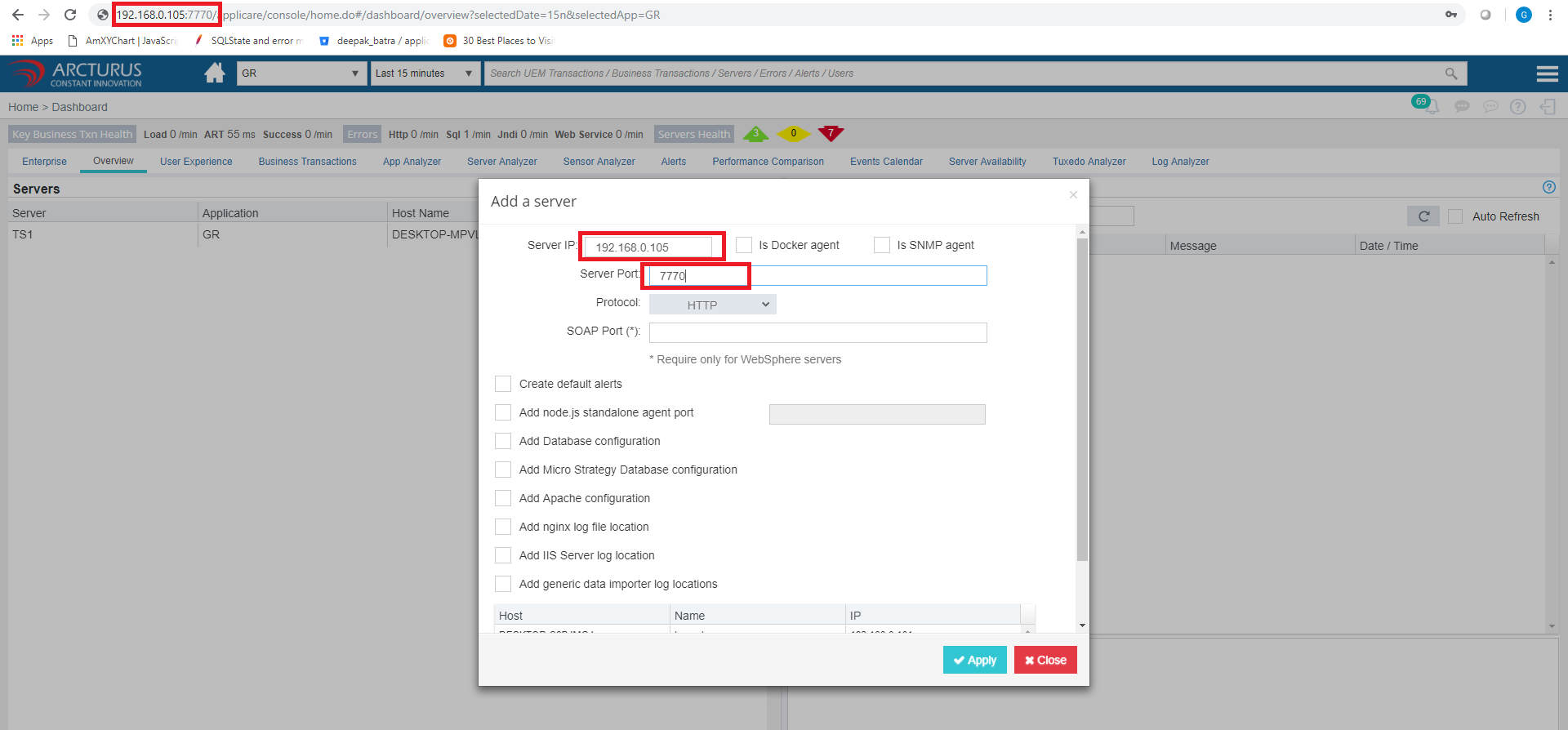
Please sign in to leave a comment.
Comments
0 comments