
Increase maximum number of active/allowed connections of applicare Server to applicare database

By default the maximum number of active connections to applicare database from applicare server is 20.
To set the maximum number of active connections set the value for the property applicare.no_of_applicareServerDB_Connections in Applicare.props in Applicare Home directory.
eg: applicare.no_of_applicareServerDB_Connections=40
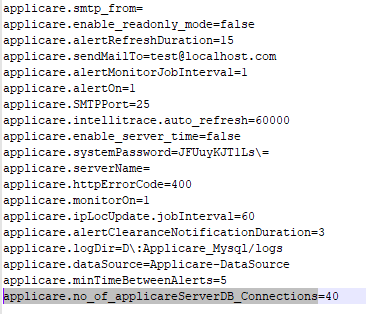
Note: Restart applicare server after the changes in the above propery.
We can see the maximum number of allowed/active connections in the screen Server Analyzer -> Datasource from Applicare Dashboard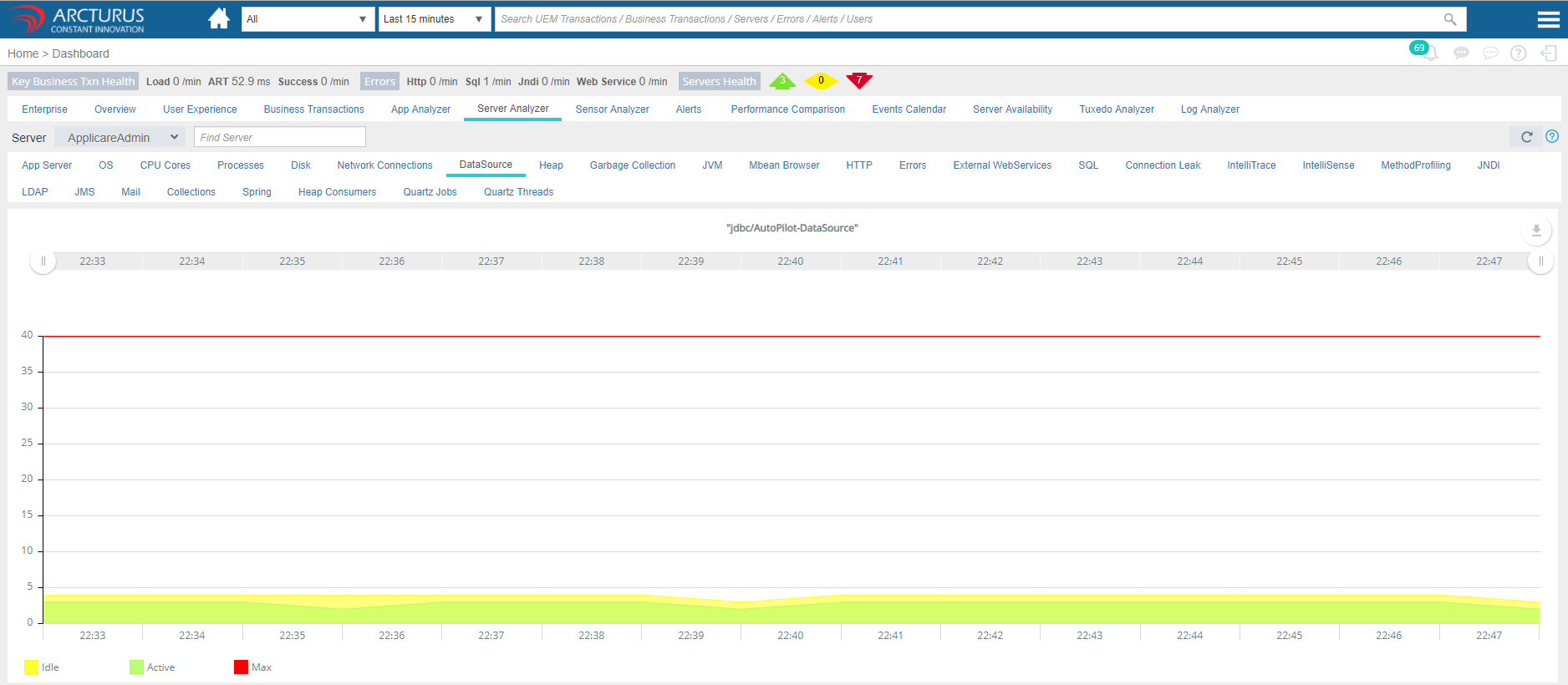
Please sign in to leave a comment.
Comments
0 comments